Brands need more video content than ever before.
A single campaign may require Instagram Reels, YouTube Shorts, LinkedIn videos, website films, ad cutdowns, event teasers, product explainers, founder videos, customer testimonials and internal communication assets.
The challenge is not only creating one good video.
The challenge is creating many videos consistently without losing quality, brand tone or strategic clarity.
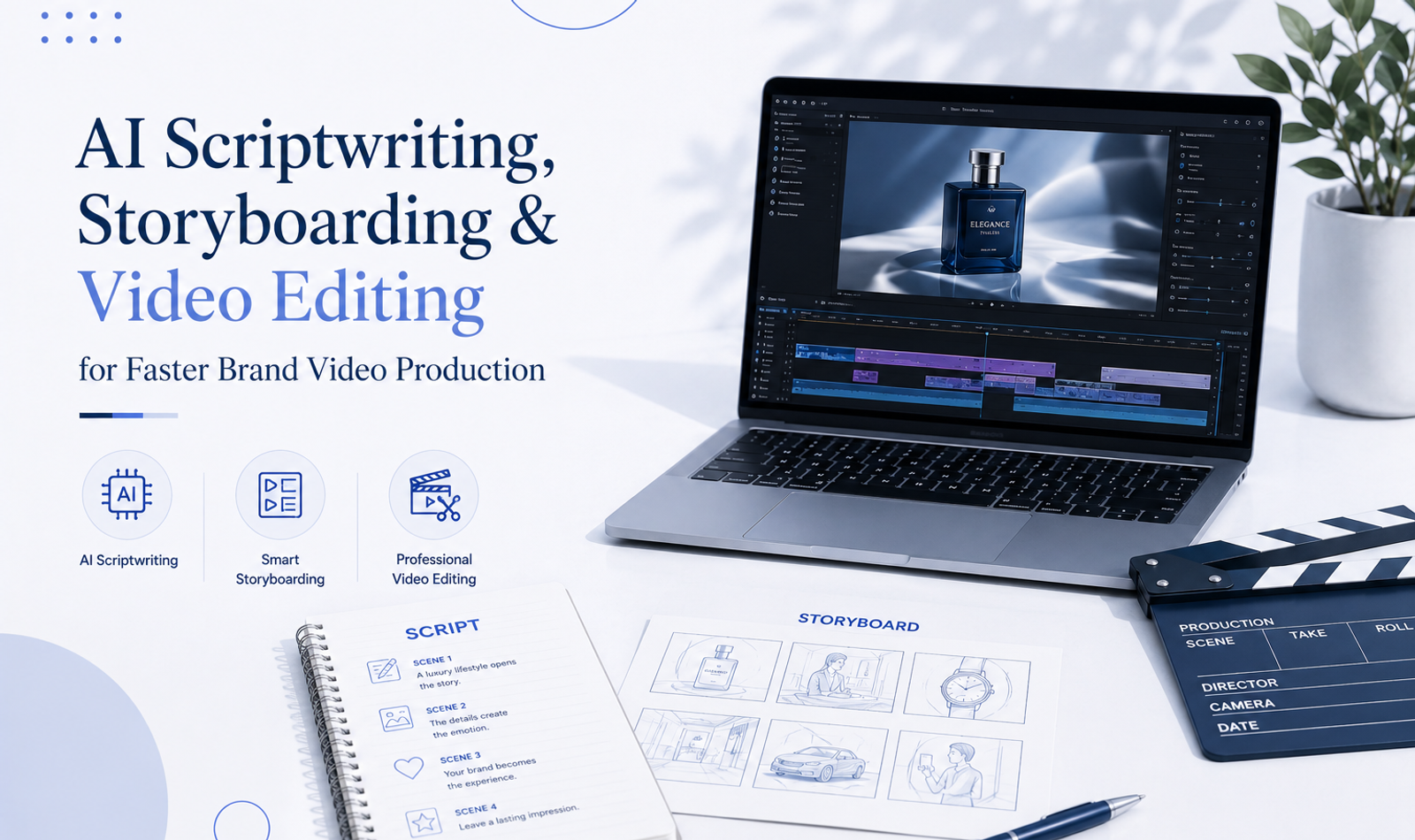
This is where AI scriptwriting, storyboarding and professional video editing can transform the production workflow.
AI can help teams move faster during the early creative stages. It can generate script directions, hooks, scene ideas, visual references, shot lists, captions and alternate versions for different platforms.
Storyboarding then turns those ideas into a planned visual structure.
Professional editing finally converts the footage, AI visuals, music, graphics, voiceover and brand elements into a finished video.
These three stages work best when they are connected.
A strong script gives the video direction.
A storyboard gives the production team clarity.
Editing gives the final film rhythm, emotion and polish.
Without scripting, a video may look good but communicate nothing clearly.
Without storyboarding, the shoot or AI generation process may become random.
Without editing, even good footage can feel weak, slow or unprofessional.
For modern brands, speed matters.
But speed without structure creates average content.
The goal is not simply to produce videos faster.
The goal is to produce better videos faster, with stronger messaging, cleaner visuals and more useful platform versions.
AI helps remove blank-page delays.
Professional planning keeps the content strategic.
Editing makes the final output feel polished and brand-ready.
Why Faster Video Production Matters for Brands
Video has become a daily communication format for brands.
Customers discover businesses through short videos, understand services through explainers, trust brands through testimonials and remember events through recap films.
A brand that produces video slowly may struggle to keep up with campaigns, trends, launches and audience expectations.
Social media also rewards consistency.
One polished video every few months may not be enough for active digital growth.
Brands often need multiple versions of the same message across different platforms.
A luxury brand may need a cinematic ad, a behind-the-scenes reel, a founder clip and a product teaser.
An event company may need pre-event announcements, live highlights, post-event recaps and sponsor edits.
A digital agency may need service explainers, case-study videos, ad creatives and client onboarding videos.
AI-assisted scripting and storyboarding can reduce planning time.
Professional editing can turn one shoot or one idea into multiple usable assets.
This makes video production more efficient, more scalable and more aligned with digital marketing needs.
AI Does Not Replace Creative Strategy
AI can generate ideas quickly, but it does not automatically understand the brand’s positioning, audience or business goals.
A video should not begin with a random prompt.
It should begin with a clear objective.
The brand must know what the video is meant to achieve.
Is it designed to create awareness?
Is it meant to generate leads?
Is it explaining a service?
Is it promoting an event?
Is it building trust through a founder or customer story?
Is it showing the luxury experience behind the brand?
Once the objective is clear, AI can support the process.
It can suggest hooks, structure the message, create different script tones and help visualise scenes.
But the final direction should come from human strategy.
AI is useful when the team already knows what it wants to communicate.
It becomes weak when the brand expects the tool to replace thinking.
What Is AI Scriptwriting?
AI scriptwriting is the use of AI tools to assist with video script development.
This may include writing hooks, scene descriptions, voiceovers, dialogues, ad scripts, explainer scripts, testimonial structures, product descriptions and social media captions.
AI can create several versions quickly.
For example, a brand can generate a direct-response ad script, a luxury-style brand film script and a short Instagram Reel script from the same campaign idea.
This saves time during the first draft stage.
AI scriptwriting is especially useful for teams that struggle with starting from a blank page.
It can help organise thoughts, simplify complex services and create platform-specific versions.
However, AI-written scripts usually need human editing.
The first draft may sound generic, too polished or too broad.
A professional creative team must refine the language so it fits the brand voice, audience and campaign goal.
Why AI Scriptwriting Speeds Up Production
Traditional scriptwriting can take time because teams often begin with unclear ideas.
Several people may have different opinions about the message, tone and structure.
AI helps by generating multiple starting points quickly.
The team can compare hooks, opening lines, scene structures and calls to action.
This makes decision-making faster.
AI can also create versions for different platforms.
A 60-second service video can become a 30-second ad, a 15-second reel, a founder voiceover and a caption script.
Instead of writing each version from scratch, the team can use AI to create drafts and then refine them.
This is especially useful for agencies and brands producing regular content.
The process becomes faster without removing the need for creative judgment.
The Role of Human Creative Direction
Human creative direction is still essential.
AI may generate words, but humans understand nuance, taste, emotion and brand risk.
A luxury brand cannot publish a script that sounds too sales-heavy or ordinary.
A professional service brand cannot use a script that overpromises results.
An event company cannot use generic language that fails to show its real expertise.
Human review ensures that the script feels specific, accurate and aligned with the brand.
Creative direction also decides what should be removed.
AI often adds too much information.
A strong video script usually needs focus.
The viewer should understand one main message, not ten different ideas.
A good creative director refines the AI draft into something sharper, cleaner and more useful.
Scriptwriting for Brand Ads
Brand ads need a strong hook, clear emotion and memorable positioning.
The script should communicate why the brand matters within a short time.
For luxury ads, the script may use fewer words and more visual mood.
The message should feel premium, not desperate.
A luxury event brand may use a line such as “Every detail becomes part of the memory.”
A digital agency may use a sharper line such as “Your brand is judged before your first call.”
A car rental brand may focus on arrival, confidence and comfort.
AI can generate several directions, but the team should choose the one that best fits the brand identity.
The final script should be simple enough to remember.
Scriptwriting for Explainer Videos
Explainer videos need clarity.
They should make a service, product or process easy to understand.
AI is useful here because it can simplify complex information.
A website-development service can be explained through problem, solution, process and result.
An AI video service can be explained through scripting, visuals, editing and delivery.
An event-planning process can be explained through concept, budgeting, vendor coordination, production and guest experience.
The script should avoid jargon.
It should explain the value in language customers understand.
A good explainer script usually follows a clear path: what problem exists, why it matters, how the brand solves it and what the viewer should do next.
Scriptwriting for Social Reels
Social reels require fast attention.
The script should begin with a strong opening.
This may be a question, statement, visual idea or problem.
For example, a digital marketing reel may begin with “Your content is getting views, but not leads.”
An event reel may begin with “This is what premium event planning looks like behind the scenes.”
An AI video reel may begin with “One idea can now become five video assets.”
AI can generate many hook options quickly.
The team should choose the hook that feels direct, relevant and easy to understand.
The rest of the script should move quickly.
Reels should not feel like long speeches squeezed into short videos.
Scriptwriting for Event Videos
Event videos often need less spoken script and more visual structure.
A pre-event teaser may use short lines that build anticipation.
A post-event recap may use event audio, speeches or a short voiceover.
A sponsor video may need clearer information about brand presence and audience impact.
AI can help write the narrative structure for the recap.
It can suggest where to place arrivals, décor, performances, speeches, guest reactions and final celebration.
The script may not be spoken word for word, but it gives the editor a storytelling map.
This helps the final recap feel planned rather than random.
What Is Storyboarding?
Storyboarding is the process of planning a video visually before production or editing.
It shows how the video will unfold shot by shot.
A storyboard may include scene descriptions, camera angles, subject movement, text placement, transitions, voiceover and music cues.
For traditional shoots, storyboards help the production team know what to capture.
For AI video, storyboards help prompt writers generate the correct scenes.
For editors, storyboards help organise the final structure.
A storyboard does not need to be a detailed illustration every time.
It can be a written shot plan, visual moodboard or frame-by-frame sequence.
The purpose is clarity.
Everyone should understand what the video is supposed to look and feel like before production begins.
Why Storyboarding Saves Time
Storyboarding reduces confusion.
Without a storyboard, the team may shoot unnecessary footage, miss important shots or generate AI visuals that do not fit together.
This creates delays during editing.
The editor may not have the right opening shot, transition, product close-up or final frame.
A storyboard prevents this by planning the sequence early.
For brand videos, it ensures that the message and visuals work together.
For event videos, it helps the shooting team capture wide shots, details, people, reactions and key moments.
For AI videos, it helps the team create consistent scenes instead of disconnected clips.
Time saved during planning often prevents major delays during editing.
Storyboarding for AI Video
AI video generation depends heavily on clear visual direction.
A storyboard helps define the exact shots required.
For example, a luxury ad storyboard may include:
A slow hero product reveal.
A close-up detail shot.
A cinematic lifestyle scene.
A text-based brand message.
A final logo frame.
Each scene can then be generated or edited according to the plan.
Without a storyboard, AI outputs may look impressive individually but fail to work together as a complete video.
Storyboarding also helps maintain consistency.
The same colour palette, lighting style, camera movement and brand mood can be repeated across scenes.
This makes the final AI video feel intentional.
Storyboarding for Traditional Shoots
Traditional shoots benefit from storyboards because production time is limited.
The team should know which shots are essential.
For a founder video, the storyboard may include talking-head shots, office B-roll, close-ups of work, team interaction and final brand visuals.
For a product video, it may include hero shots, macro details, usage scenes and packaging.
For an event recap, it may include venue establishing shots, guest arrivals, décor, stage, performances, reactions and closing moments.
A storyboard helps the camera team capture footage that the editor can actually use.
It also reduces the risk of missing important moments.
Storyboarding for Social Media Content
Social media videos need strong structure because attention spans are short.
A storyboard helps create a clear flow.
The first frame should hook attention.
The next shots should explain or build interest.
The final frame should create action.
For example, a 20-second reel may follow this structure:
Problem in first three seconds.
Visual proof in the middle.
Clear CTA at the end.
Storyboarding helps avoid slow openings and unnecessary filler.
It also helps create platform-specific layouts.
Text placement, safe areas, vertical framing and subtitle space should be planned before editing begins.
From Script to Storyboard
A script tells the message.
A storyboard shows how the message will appear visually.
The two should work together.
If the script says “premium event planning is about details,” the storyboard should show close-ups of table styling, lighting, guest service, floral textures and backstage coordination.
If the script says “AI helps brands produce videos faster,” the storyboard may show script development, storyboard frames, AI-generated visuals and an editing timeline.
The storyboard should not simply decorate the script.
It should make the message easier to feel and understand.
This connection between words and visuals is what makes brand videos stronger.
From Storyboard to Edit
The storyboard also guides the editing stage.
The editor can use it as a roadmap.
They know the intended opening, emotional build-up, key moments and final message.
However, editing may still evolve.
Sometimes the footage reveals a better moment than the storyboard expected.
A guest reaction may be more powerful than the planned décor shot.
A product close-up may work better earlier in the sequence.
A strong editor respects the plan but also improves it when the material allows.
The storyboard creates structure.
Editing brings life to that structure.
AI in Professional Video Editing
AI is now becoming part of professional editing workflows.
It can help with captions, transcription, object masking, background cleanup, audio enhancement, clip extension and faster versioning.
This saves time on technical tasks.
Editors can spend more time on creative decisions such as pacing, emotion, colour, sound and storytelling.
AI editing support is especially useful when brands need many versions from one shoot.
A single campaign video may need vertical, square and horizontal formats.
It may need 15-second, 30-second and 60-second versions.
It may need captions, alternate hooks and different calls to action.
AI can speed up this process.
Professional editors still decide which versions are strongest.
Why Editing Is Still the Final Quality Filter
Editing is where the video becomes brand-ready.
The editor checks whether the message is clear, the pacing works, the visuals feel premium and the sound supports the story.
AI may create a rough cut, but it does not fully understand brand taste.
A luxury brand may need slower pacing, cleaner typography and subtle sound design.
A performance ad may need faster pacing and stronger CTA placement.
An event recap may need emotional build-up and smooth transitions between moments.
The editor makes these choices.
Editing is also where mistakes are corrected.
Bad audio, inconsistent colour, awkward cuts, weak subtitles and distracting frames can reduce quality.
The final edit protects the brand’s image.
Editing for Faster Brand Production
Professional editing can make production faster when the workflow is organised.
The editor should receive a clear script, storyboard, footage structure, brand assets, music direction and platform requirements.
When these elements are missing, editing becomes slower because the editor must guess the strategy.
Fast editing does not mean careless editing.
It means the process is planned well.
A good workflow allows the editor to build a strong first cut quickly.
Feedback should also be organised.
Several people sending separate, contradictory comments can slow the process.
One consolidated feedback document helps revisions move faster.
Creating Multiple Videos From One Idea
One of the biggest advantages of AI-assisted production is content multiplication.
A single campaign idea can become many assets.
A master brand film can become short reels, story clips, ad cutdowns, website banners, LinkedIn edits and YouTube shorts.
A founder interview can become a full video, quote clips, social reels and paid ads.
An event recap can become a hero film, teaser, sponsor edit, artist highlight and venue showcase.
AI scriptwriting can help create these variations quickly.
Storyboarding helps plan which shots support each format.
Professional editing turns the same material into different videos without making each one feel repetitive.
This helps brands produce more content from the same production effort.
Faster Does Not Mean Generic
Speed is valuable only when quality remains strong.
Many brands use AI to produce content quickly but end up with generic scripts, repetitive visuals and weak edits.
This happens when speed becomes the only goal.
The video may be published faster, but it may not improve brand perception.
For premium brands, generic content can be harmful.
It makes the brand feel ordinary.
Faster production should still include strategy, scripting, visual direction, editing and quality control.
AI should reduce unnecessary delays, not remove creative discipline.
The strongest workflow is fast and thoughtful.
Building a Brand Video Workflow
A strong brand video workflow should move through clear stages.
The first stage is strategy.
The second is scriptwriting.
The third is storyboarding.
The fourth is production or AI visual generation.
The fifth is editing.
The sixth is review and platform delivery.
Each stage should support the next.
When strategy is weak, the script becomes unclear.
When the script is unclear, the storyboard becomes random.
When the storyboard is missing, production becomes inefficient.
When footage is unplanned, editing becomes difficult.
A connected workflow creates faster and better videos.
For teams managing larger campaigns, an end-to-end AI video production workflow can also connect ideation, production, editing and distribution.
AI Scriptwriting for Ad Campaigns
Ad campaigns need multiple script options.
Different audiences may respond to different hooks, benefits and calls to action.
AI can quickly generate variations.
One version may focus on emotional appeal.
Another may focus on pain points.
Another may focus on proof and results.
Another may be designed for a luxury audience with minimal text.
The creative team can test these options before production.
This is useful for Meta ads, YouTube ads, LinkedIn campaigns and Instagram Reels.
However, ad scripts should still be reviewed carefully.
The claims must be accurate.
The tone must match the brand.
The CTA must be clear.
AI Storyboarding for Ad Campaigns
Once the script is selected, AI can help build visual options.
The team can generate scene ideas, shot lists and mood references.
For example, an ad for a premium event agency may show a dramatic venue reveal, close-ups of production details, guests entering and a final brand message.
An ad for an AI video service may show a script turning into storyboard frames, AI visuals and final edited reels.
The storyboard makes the ad easier to produce.
It also helps the client approve the direction before editing begins.
This reduces revision pressure later.
Editing for Ad Performance
Ad editing is different from normal video editing.
The opening must be strong.
The message must be clear.
The CTA must appear at the right time.
The video must work even when viewed without sound.
Professional editing improves ad performance by controlling these details.
The editor may create several hooks from the same footage.
They may test different opening shots, captions and pacing.
A luxury ad may need a slower, premium version for brand awareness and a faster direct-response version for performance marketing.
Editing allows the same campaign to serve different goals.
AI Scriptwriting for Explainers
Explainer videos are ideal for AI-assisted scriptwriting.
AI can help organise complex information into a simple structure.
For example, a brand video production service can be explained through strategy, script, storyboard, shoot, edit and delivery.
A website service can be explained through design, development, SEO, speed and conversion.
An event service can be explained through concept, planning, production, guest experience and recap.
AI can create a first draft quickly.
The team then refines it with brand language, examples and stronger flow.
A good explainer script should make the viewer feel clear, not overwhelmed.
Storyboarding for Explainers
Explainers need visual clarity.
The storyboard may include screen recordings, motion graphics, service icons, process visuals, team footage and short text frames.
It should not rely only on talking-head footage.
The visuals should help simplify the explanation.
For AI video production, the storyboard can show an idea moving from script to AI visual to final edited video.
For event planning, it can show the journey from concept to execution.
For digital marketing, it can show audience, content, ads, website and lead generation.
Storyboarding makes the explainer easier to understand.
Editing Explainer Videos
Explainer editing should be clean and direct.
The viewer should not feel lost.
The editor should use simple transitions, readable text, clear audio and helpful pacing.
Too many effects can distract from the explanation.
The edit should support understanding.
Subtitles, section titles and motion graphics can help.
For professional brands, the tone should feel polished but not overly dramatic.
The best explainer videos make complex services feel simple and trustworthy.
AI Scriptwriting for Event Content
Events require several types of video content.
Before the event, brands may need teasers, invitations, countdown reels and sponsor announcements.
During the event, they may need live highlight scripts, presenter lines and social updates.
After the event, they may need recap voiceovers, case-study videos and thank-you films.
AI can help create these scripts quickly.
The team can adapt one event theme into several content formats.
For example, a luxury gala theme can become a teaser line, invite script, recap narration and sponsor appreciation video.
This keeps the communication consistent.
Storyboarding for Event Content
Storyboarding helps event teams plan what needs to be captured.
The storyboard can include venue shots, décor details, guest arrivals, stage moments, performances, speeches, sponsor branding and emotional reactions.
This helps the video team shoot with purpose.
For large events, the storyboard can be shared with camera operators so everyone knows the priority shots.
It can also help identify where AI visuals may be used.
For example, animated titles, theme reveals or countdown sequences may be created separately and added during editing.
A planned event video is always stronger than a random recap.
Editing Event Content Faster
Event videos often need quick turnaround.
Clients may want a same-day teaser, next-day highlight and full recap later.
A clear editing workflow makes this possible.
The team can organise footage by sections such as arrivals, décor, stage, audience, performances and closing.
The editor can first create a short social teaser, then a longer recap.
AI tools can support sorting, captions and rough cutdowns.
Professional editing still controls the emotional flow.
Speed matters, but the recap should still feel premium.
A rushed edit with poor music, weak colour and random shots can reduce the value of the event.
AI Scriptwriting for Luxury Brands
Luxury brand scripts need restraint.
They should not sound like aggressive sales copy.
AI can produce several tone options, but the final version should be carefully edited.
Luxury scripts often work best with fewer words, stronger imagery and more emotional space.
A perfume video may not need a full explanation.
It may need a few lines about memory, presence and desire.
A jewellery video may focus on legacy, detail and craftsmanship.
A hospitality video may focus on privacy, time, service and escape.
The words should feel refined.
The visuals and editing should carry much of the emotion.
For premium businesses, this creative direction should remain consistent with the wider luxury brand positioning strategy.
Storyboarding for Luxury Brands
Luxury storyboards should focus on mood, detail and pacing.
The scenes should not be overcrowded.
A simple sequence can be powerful when the lighting, movement and sound are strong.
The storyboard may include close-ups, slow reveals, atmosphere shots, human details and final brand frames.
AI visuals should be directed carefully.
Luxury does not always need grand effects.
It often needs controlled elegance.
Storyboarding helps prevent overproduction.
It ensures the video feels premium rather than noisy.
Editing Luxury Brand Videos
Luxury editing requires taste.
The editor should avoid unnecessary transitions, loud effects and cluttered text.
The pacing should feel intentional.
Colour grading should be consistent.
Sound should feel refined.
Typography should be elegant and minimal.
The brand should appear clearly but not aggressively.
A luxury video should create desire without forcing the viewer.
Editing is what makes the content feel expensive.
Even simple footage can feel premium when edited with the right rhythm, colour and sound.
AI Scriptwriting for Founder Videos
Founder videos need authenticity.
AI can help structure the message, but the final words should sound human.
A founder should not sound like a corporate brochure.
The script may include the problem they saw, why they started, what the brand believes and how they help customers.
AI can create a draft, but the founder’s real voice should be preserved.
The best founder videos feel clear but personal.
They should not be over-scripted.
Professional editing can remove pauses, improve flow and add supporting visuals.
Storyboarding Founder Videos
A founder video should not be only one talking-head frame.
The storyboard can include office visuals, team footage, product shots, client work, behind-the-scenes moments and brand details.
These visuals support the founder’s message.
They also keep the video visually engaging.
The storyboard should identify where B-roll will appear.
For example, when the founder speaks about client experience, the video can show project work or customer interaction.
When they speak about quality, the video can show process details.
This makes the story more believable.
Editing Founder Videos
Founder videos should feel polished but authentic.
The editor should remove unnecessary pauses while preserving natural delivery.
B-roll should support the message without feeling random.
Subtitles should be clean.
Music should be subtle.
The colour grade should feel professional and natural.
For high-trust communication, editing should not make the founder look artificial.
The goal is clarity, credibility and connection.
AI can assist with transcripts, captions and cutdowns, but the emotional quality should remain human.
AI Scriptwriting for Testimonials
Testimonials need structure, but they should not sound scripted.
AI can help create interview questions and response frameworks.
The customer can be guided to discuss the problem, experience, result and recommendation.
However, the actual words should come from the customer.
Authenticity matters.
AI can support the planning stage but should not invent customer statements.
Professional editing then selects the strongest real moments.
A testimonial works because the viewer believes it.
That trust should be protected.
Storyboarding Testimonials
A testimonial storyboard may include customer interview shots, product or service footage, workplace visuals, event footage and result-based visuals.
The storyboard helps capture supporting material.
If a client says the event was seamless, the video should show guest flow, coordination and atmosphere.
If a customer says the website improved trust, the video can show the website, analytics dashboard and brand visuals.
The visuals should support the statement.
A testimonial with no supporting footage may feel visually flat.
Editing Testimonials
Editing testimonials requires sensitivity.
The editor should keep the customer’s meaning intact.
Statements should not be cut in a misleading way.
The best testimonial edits feel natural, honest and focused.
The editor can remove repetition, improve pacing and add visual support.
Music should not overpower the voice.
Subtitles should be accurate.
For premium brands, testimonials should feel credible rather than overly dramatic.
Trust is the main objective.
Content Repurposing Through AI and Editing
A strong video workflow should plan repurposing from the beginning.
One founder interview can become many clips.
One event recap can become several platform edits.
One campaign script can become ads, reels, website content and internal sales material.
AI can help generate alternate captions, hooks and edit structures.
Professional editing creates the final versions.
This helps brands get more value from each shoot.
Instead of producing one video and stopping, the brand creates a content ecosystem.
This is essential for faster brand video production.
Review and Feedback Process
Fast production depends on clean feedback.
The brand should avoid sending scattered comments from multiple people.
Feedback should be consolidated.
It should be specific.
Instead of saying “make it better,” the reviewer should explain whether the issue is pacing, music, text, colour, shot selection or message clarity.
A clear review process saves time.
It also protects creative quality.
Too many unnecessary changes can weaken a strong edit.
The review should focus on whether the video achieves its objective.
Quality Control Before Publishing
Before publishing, every video should pass a final quality check.
The team should review spelling, subtitles, logo placement, audio levels, music rights, product accuracy, colour consistency, platform format and CTA.
AI-generated visuals should be checked for distortions, strange movement, incorrect details or off-brand styling.
The video should also be watched without sound to ensure the message still works.
For luxury brands, small errors can damage perception.
A polished final check is essential.
Fast production should never skip quality control.
Measuring Faster Video Production
Faster production should be measured by both speed and output quality.
The brand can track how long scripts take, how quickly storyboards are approved, how many versions are created from one shoot and how fast final videos are delivered.
But speed is only one part of success.
The videos should also perform.
Metrics may include watch time, completion rate, engagement, shares, saves, website visits, enquiries, bookings and sales conversations.
For brand videos, perception and trust also matter.
A faster workflow is valuable only when it improves consistency and results.
These video metrics can also be connected with a wider full-funnel digital marketing strategy rather than measuring video views in isolation.
Common Mistakes in AI Scriptwriting
One common mistake is publishing AI-generated scripts without editing them.
The language may sound generic, repetitive or too polished.
Another mistake is using too many ideas in one video.
AI can produce long scripts quickly, but short videos need focus.
Brands may also use AI to create claims that are not supported.
This can create trust and compliance problems.
AI scriptwriting should always be reviewed by people who understand the brand, audience and offer.
The final script should sound specific and credible.
Common Mistakes in Storyboarding
Some teams skip storyboarding because they want to move quickly.
This often creates delays later.
The shoot may miss important visuals.
AI-generated clips may not match each other.
The editor may struggle to create a smooth final video.
Another mistake is making the storyboard too complicated.
A practical storyboard should clarify the video, not slow the team down.
It should show the sequence, mood, shots and key messages clearly.
The best storyboard is useful for production and editing.
Common Mistakes in Video Editing
A common editing mistake is using too many transitions.
This can make the video feel amateur or distracting.
Another mistake is weak pacing.
The video may take too long to begin or include shots that do not add value.
Poor audio, inconsistent colour and crowded typography can also reduce quality.
Some videos fail because they do not have a clear ending or call to action.
Professional editing should make the video feel complete.
Every cut should serve the message.
A Practical AI Video Production Workflow
The workflow begins with a clear objective.
The team defines the audience, platform, message and desired action.
AI can then help create script options and hooks.
The selected script is refined by a human creative team.
A storyboard is created to show the visual direction.
The team decides which scenes need real footage, AI visuals, motion graphics or stock support.
Production or AI generation begins according to the storyboard.
The editor assembles the first cut, adds music, sound, captions, colour and graphics.
Feedback is consolidated and revisions are completed.
Final exports are prepared for each platform.
The results are measured and used to improve the next video.
This process makes production faster without losing structure.
How Double Trouble Studio Uses This Workflow
Double Trouble Studio uses AI scriptwriting, storyboarding and professional editing to help brands produce faster and stronger videos.
Our workflow begins with strategy.
We identify the video objective, target audience, platform and core message.
Then we develop scripts, hooks, scene structures and visual directions.
Storyboards help us plan what needs to be generated, filmed or edited.
AI tools are used where they improve speed, ideation or visual creativity.
Professional editing brings the final content together through pacing, sound design, colour grading, motion graphics and platform-ready exports.
For luxury brands, we focus on premium visual language and restraint.
For events, we focus on emotion, atmosphere and execution proof.
For digital campaigns, we create multiple video versions that support reach, engagement and enquiries.
The goal is simple: faster video production without compromising brand quality.
Frequently Asked Questions
What is AI scriptwriting for brand videos?
AI scriptwriting is the use of AI tools to create video script drafts, hooks, voiceovers, scene ideas, dialogues, captions and platform-specific versions. It helps brands move faster during the early creative stage, but the final script still needs human refinement to match the brand voice, audience and campaign objective.
How does AI scriptwriting speed up video production?
AI scriptwriting speeds up production by reducing blank-page delays. Instead of starting from scratch, teams can quickly generate multiple hooks, ad scripts, explainer structures and reel ideas. These drafts can then be reviewed, edited and shaped into stronger brand-ready scripts.
What is storyboarding in video production?
Storyboarding is the process of planning a video visually before filming, AI generation or editing begins. It outlines the sequence of scenes, camera angles, visual mood, text placement, transitions, voiceover and key shots. A storyboard gives the production and editing team a clear roadmap.
Why is storyboarding important for AI video?
Storyboarding is important for AI video because AI-generated clips can become random when there is no visual plan. A storyboard helps define the shots, mood, lighting, camera movement and sequence before generation begins. This makes the final video feel more consistent, intentional and brand-aligned.
Does AI replace professional video editing?
No, AI does not replace professional video editing. AI can assist with captions, transcription, rough ideas, visual generation, background cleanup and faster versions, but editing still controls pacing, sound, colour, emotion, transitions, storytelling and final polish. Professional editing makes the video feel complete and brand-ready.
How can one video idea become multiple content assets?
One video idea can be repurposed into several formats through AI-assisted scripting and professional editing. A founder interview can become a full video, short reels, quote clips, ads and LinkedIn posts. An event recap can become a teaser, highlight film, sponsor edit and venue showcase. This helps brands get more value from one production effort.
Why is scripting important before video editing?
Scripting gives the video direction. It defines the message, structure, tone and call to action before visuals are created. Without a script, the video may look attractive but fail to communicate clearly. A strong script helps the editor understand what the final video needs to achieve.
How does storyboarding save editing time?
Storyboarding saves editing time by helping teams capture or generate the right shots from the beginning. When the editor receives planned footage, AI visuals, scene structure and brand assets, the first cut becomes faster and stronger. It also reduces missing shots, random visuals and unnecessary revisions.
What role does human creative direction play in AI video production?
Human creative direction ensures that the AI output fits the brand, audience and objective. AI can generate options, but humans decide what feels strategic, premium, accurate and emotionally effective. Creative direction protects the brand from generic scripts, weak visuals and off-brand ideas.
Why is professional editing important for luxury brand videos?
Luxury brand videos require refined pacing, clean typography, premium colour grading, subtle sound design and visual restraint. Professional editing ensures the final video feels elegant, polished and consistent with the brand’s positioning. AI can support the process, but taste and judgement remain human responsibilities.
What are common mistakes in AI scriptwriting?
Common mistakes include publishing AI scripts without editing, adding too many ideas into one video, using generic language, making unsupported claims and ignoring the brand’s real tone. AI should be used for drafts and options, not as the final creative voice without review.
What is the best workflow for faster brand video production?
The best workflow begins with strategy, followed by AI-assisted scriptwriting, storyboard planning, production or AI visual generation, professional editing, feedback, final quality control and platform-specific exports. This process helps brands produce videos faster without losing clarity, polish or brand consistency.
Conclusion
AI scriptwriting, storyboarding and professional video editing are now essential parts of faster brand video production.
Brands need more video content across more platforms, but they cannot afford to lose clarity, quality or consistency.
AI helps speed up the early stages of production.
It can generate script options, hooks, voiceovers, shot ideas, captions and platform-specific versions.
This reduces blank-page delays and gives creative teams more directions to explore.
Storyboarding turns those ideas into a visual plan.
It helps the team understand what needs to be filmed, generated, animated or edited.
A strong storyboard saves time during production because everyone knows the sequence, mood and key shots before work begins.
Professional editing creates the final impact.
It controls pacing, sound, colour, typography, emotion and brand polish.
AI can assist with technical tasks, but the final creative judgement still comes from human editors and directors.
The fastest workflow is not the one that skips planning.
The fastest workflow is the one that plans clearly, produces with purpose and edits with precision.
When strategy, AI scriptwriting, storyboarding and editing work together, brands can create more videos from fewer production efforts.
A single idea can become a brand film, social reels, ads, website clips and sales content.
This makes video production more efficient and more valuable.
For luxury brands, professional services, event companies and digital-first businesses, this hybrid workflow is especially powerful.
It allows teams to produce faster content while still protecting brand image, storytelling and trust.
AI expands what can be created.
Storyboarding shows how it should be built.
Editing decides how it should be experienced.
When all three work together, brand video production becomes faster, smarter and more consistent.
Ready to Create Faster, Smarter Brand Videos?
Your brand videos should do more than fill a content calendar. They should communicate clearly, look polished, match your brand tone and work across reels, ads, websites, events, campaigns and presentations.
At Double Trouble Studio, we help brands create AI-assisted video workflows with strategic scriptwriting, storyboarding, professional video editing, cinematic reels, event videos, product explainers, founder videos, social media ads and complete creative growth solutions.
For AI scriptwriting, storyboarding, AI video production, professional video editing, brand films, event recaps, social reels, digital marketing, PR, SEO and creative strategy, connect with Double Trouble Studio today.
📩 info@dtsworld.in 📞 +91 80000 06021 📍 Andheri West, Mumbai
Need this for your brand?
Let DTS build your next campaign.
From PR, celebrity management and events to websites, social media, SEO and AI video production — Double Trouble Studio helps brands grow with strategy and execution.
Discuss Your Requirement →