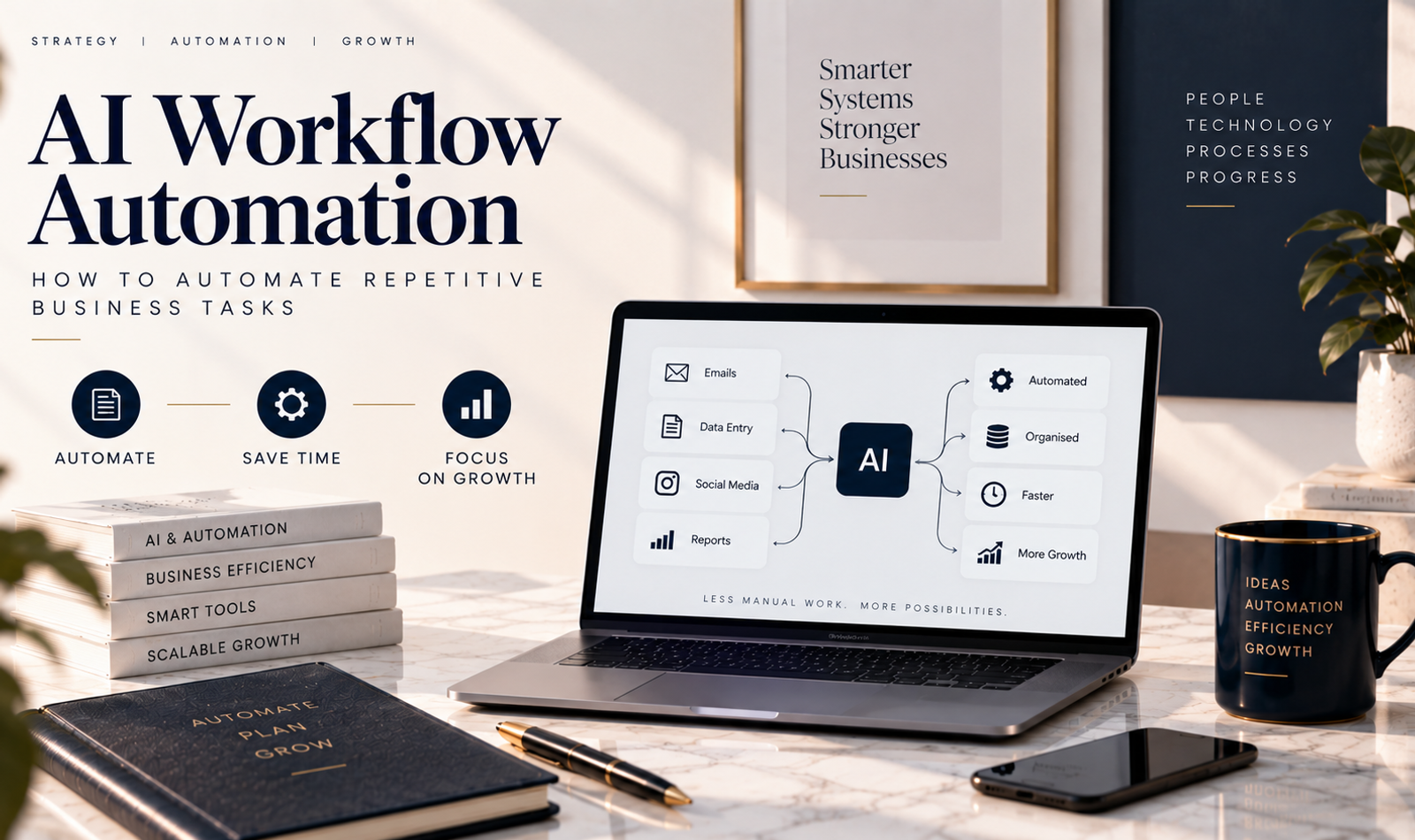
AI Workflow Automation: How to Automate Repetitive Business Tasks
Every growing business eventually faces the same operational problem.
As customers, campaigns, projects and teams increase, so does repetitive work.
Employees spend time copying information between spreadsheets, updating CRM records, sending routine emails, creating reports, assigning leads, scheduling follow-ups, organising documents, answering repetitive customer questions and manually transferring data between different tools.
Individually, these tasks may take only a few minutes.
Repeated hundreds or thousands of times, however, they consume significant working hours.
This is where AI workflow automation can create practical business value.
AI workflow automation combines artificial intelligence with automation systems to help businesses complete repetitive processes, interpret information, make rule-based or AI-assisted decisions and move work between applications with less manual intervention.
Instead of an employee repeatedly performing:
Receive information → Read it → Categorise it → Copy it → Send it → Update another system → Create a reminder
a workflow can potentially handle much of the process automatically.
The objective is not to automate everything.
The objective is to identify predictable, repetitive and time-consuming work that technology can handle reliably—while keeping people involved where judgment, creativity, relationships and accountability matter.
This guide explains how AI workflow automation works, which business tasks can be automated, where companies should start and how to build automation systems that actually improve operations.
What Is AI Workflow Automation?
AI workflow automation is the use of artificial intelligence and automation technology to perform, coordinate or assist with recurring business processes across different tools and departments.
A workflow generally contains:
Trigger → Information → Logic → Action → Result
For example:
Website form submitted → Lead information captured → Lead categorised → CRM updated → Salesperson assigned → Confirmation sent → Follow-up task created
Without automation, an employee may complete each step manually.
With workflow automation, several steps can happen automatically.
AI can add another layer by helping the system interpret information that is difficult to handle with simple rules.
For example, AI may help:
classify an enquiry,
summarise a document,
extract information,
categorise customer feedback,
draft a response,
identify intent,
or organise unstructured text.
This makes automation useful for a broader range of business processes.
AI Automation vs Traditional Automation
Traditional workflow automation generally follows predefined rules.
For example:
If a form is submitted, send an email.
If an invoice becomes overdue, create a reminder.
If a lead selects Mumbai, assign it to the Mumbai sales team.
These systems are highly useful when conditions are predictable.
AI automation can assist when information requires interpretation.
For example, a customer may submit:
“We are planning a luxury product launch in Mumbai next month and need PR, influencer outreach and complete event production.”
A traditional workflow can capture the message.
An AI-assisted workflow could potentially interpret the enquiry and classify it into categories such as:
Event Management,
PR,
Influencer Marketing,
Mumbai,
High Intent,
Urgent Timeline.
The workflow could then route it appropriately.
The most effective systems often combine both approaches.
Rules provide control. AI provides interpretation.
Why Businesses Are Investing in Workflow Automation
The main advantage of automation is not simply speed.
It is consistency.
Manual processes often depend on employees remembering to complete small actions.
Someone needs to:
update the spreadsheet,
send the confirmation,
create the task,
notify the manager,
save the document,
update the CRM,
or schedule the follow-up.
When workloads increase, these steps can be delayed or forgotten.
Automation allows businesses to turn recurring processes into systems.
This can help improve:
operational consistency,
response times,
data organisation,
team productivity,
customer experience,
reporting,
and process visibility.
For smaller and growing companies, AI automation for small and medium businesses can be particularly valuable because teams often need to manage increasing workloads without increasing manual administration at the same rate.
What Business Tasks Can Be Automated With AI?
Almost every department contains repetitive processes.
The question is not:
“Can AI automate our business?”
A better question is:
“Which specific tasks are repetitive enough to automate safely?”
Common opportunities exist across:
marketing,
sales,
customer support,
operations,
finance,
HR,
administration,
content,
reporting,
and project management.
1. Lead Capture Automation
Lead management is one of the most practical automation opportunities.
Imagine someone completes a website enquiry form.
Without automation:
someone checks the inbox,
copies the person's details,
adds them to a spreadsheet,
forwards the enquiry,
creates a CRM contact,
and sends a reply.
With a structured workflow:
Form submission → CRM entry → Lead classification → Sales assignment → Confirmation → Internal notification → Follow-up task
can happen automatically.
This reduces administrative work and helps businesses respond faster.
For companies building more sophisticated acquisition systems, AI for lead generation can extend automation into prospect discovery, qualification, scoring, nurturing and conversion.
2. Lead Qualification Automation
Not every enquiry deserves the same sales response.
A business may receive:
genuine customer enquiries,
job requests,
vendor proposals,
spam,
partnership requests,
support questions,
and unrelated messages
through the same contact form.
AI can help classify these messages based on their content.
A workflow could identify:
enquiry type,
service required,
location,
timeline,
potential urgency,
and other useful information.
The system could then route each enquiry differently.
This allows salespeople to spend less time sorting messages and more time speaking with relevant prospects.
3. CRM Automation
CRM systems become less valuable when employees do not keep them updated.
Manual CRM work can include:
creating contacts,
changing deal stages,
assigning owners,
logging interactions,
creating reminders,
adding notes,
and updating statuses.
Automation can reduce some of this administrative burden.
For example:
New lead → Create CRM record
Meeting booked → Update lead stage
Proposal sent → Create follow-up task
Deal won → Notify onboarding team
Deal inactive → Trigger review
The goal is to keep the customer journey organised without depending entirely on manual data entry.
4. Sales Follow-Up Automation
Sales opportunities are frequently lost because follow-ups happen too late—or never happen.
A structured workflow can create reminders based on activity.
For example:
Proposal sent → Wait 3 days → Check status → Create salesperson reminder
or:
Lead requested information → Send relevant resource → Create follow-up task
Automation should support the salesperson rather than replace thoughtful communication.
For high-value services, personalised human follow-up is usually more appropriate than sending endless automated sales messages.
5. Email Automation
Email is one of the largest sources of repetitive business work.
Automation can help with:
welcome emails,
lead confirmations,
appointment reminders,
internal notifications,
customer onboarding,
renewal reminders,
feedback requests,
and routine follow-ups.
AI may also assist with:
summarising long emails,
categorising messages,
extracting action items,
or drafting replies for human review.
The important distinction is between assistance and unsupervised communication.
Sensitive, contractual, financial or important customer emails should receive appropriate human review.
6. Customer Support Automation
Businesses often receive the same questions repeatedly.
For example:
What are your working hours?
Where are you located?
What services do you provide?
How do I make a booking?
What information do you need?
What happens next?
A chatbot or automated support system can answer common questions and direct customers to relevant resources.
More complex requests can be escalated to people.
A useful support model is:
Customer question → Identify intent → Answer simple request OR route complex request to human support
This can improve response speed without forcing customers to interact only with machines.
7. Appointment and Meeting Automation
Scheduling can create unnecessary back-and-forth.
A workflow can potentially handle:
appointment booking,
calendar invitations,
confirmation messages,
reminders,
rescheduling links,
internal notifications,
and post-meeting tasks.
For example:
Lead qualifies → Booking link → Meeting scheduled → Calendar event → Reminder → CRM updated → Salesperson notified
This creates a smoother process for both customers and teams.
8. Meeting Notes and Action Items
Meetings create another layer of administrative work.
After a meeting, someone may need to:
write notes,
summarise decisions,
identify action items,
assign tasks,
and send a recap.
AI-assisted systems can help create summaries and extract potential action items from meeting transcripts or notes where appropriate permissions and tools are in place.
A human should still verify important decisions.
This is especially important when meetings involve:
budgets,
contracts,
client commitments,
deadlines,
or strategic decisions.
9. Document Processing Automation
Businesses regularly receive documents containing useful information.
Examples include:
invoices,
briefs,
applications,
proposals,
forms,
contracts,
reports,
and purchase orders.
AI-assisted workflows can help extract structured information from documents.
For example:
Document received → Extract selected fields → Store information → Categorise document → Notify relevant person
This can reduce repetitive data entry.
For high-risk documents such as legal contracts or financial records, human verification remains important.
10. Invoice and Finance Workflow Automation
Finance teams often manage repetitive processes around:
invoice creation,
payment reminders,
expense submissions,
approvals,
and record organisation.
Automation can help trigger administrative steps.
For example:
Invoice issued → Due date tracked → Payment status checked → Reminder created
or:
Expense submitted → Manager notified → Approval recorded → Finance team updated
Financial controls should remain carefully designed, and significant transactions should not depend entirely on unverified AI decisions.
11. Marketing Workflow Automation
Marketing teams handle a large number of repetitive activities.
These may include:
campaign briefs,
content planning,
publishing workflows,
lead capture,
email sequences,
reporting,
creative variations,
and campaign notifications.
AI can support ideation, research and content preparation, while automation coordinates how work moves between people and platforms.
Businesses exploring broader applications can review DTS's guide to AI marketing services for business growth.
12. Social Media Workflow Automation
Social media requires constant coordination.
A workflow may include:
idea generation,
content creation,
design,
approval,
scheduling,
publishing,
monitoring,
and reporting.
Automation can help coordinate these stages.
For example:
Content approved → Add to publishing queue → Schedule → Record publication → Add performance data to report
AI can also assist with:
caption drafts,
content repurposing,
topic ideas,
comment categorisation,
and performance summaries.
However, brands should avoid turning social media into completely automated generic content.
Human creative direction remains essential for distinctive communication.
13. Content Creation Workflows
AI can make parts of content production faster.
A structured workflow might look like:
Topic → Research → Brief → Draft → Human edit → SEO review → Approval → Publish → Distribution
AI can support:
research organisation,
outlines,
first drafts,
headline alternatives,
metadata,
summaries,
and repurposing.
The final content should still be checked for:
accuracy,
brand voice,
originality,
usefulness,
and strategic relevance.
The DTS guide to AI content creation tools, benefits and best practices explains how businesses can use AI without turning content production into low-quality mass publishing.
14. AI Video Production Workflows
Video production contains many stages:
concept,
script,
storyboard,
visual generation,
editing,
voiceover,
subtitles,
versions,
approval,
and distribution.
AI can accelerate several of these stages.
This is particularly useful when businesses need multiple content variations for:
social media,
advertising,
websites,
PR,
and campaigns.
A structured end-to-end AI video production and professional editing workflow can help connect AI generation with professional creative review and distribution.
15. Advertising Workflow Automation
Paid campaigns produce large amounts of performance data.
Automation can help teams:
collect campaign metrics,
organise reports,
trigger alerts,
categorise leads,
and connect advertising activity with CRM information.
AI can also help analyse patterns across:
audiences,
creative,
offers,
placements,
and conversion behaviour.
However, automated campaign recommendations should still be evaluated against business outcomes.
A lower cost per lead is not necessarily better if lead quality falls.
For high-value campaigns, performance digital advertising across Meta, Google and LinkedIn can be integrated with CRM and sales data to create a stronger acquisition system.
16. Reporting Automation
Reporting is one of the clearest automation opportunities.
Teams often spend hours every week:
opening platforms,
copying numbers,
updating spreadsheets,
calculating changes,
and formatting reports.
Automated workflows can collect and organise data from connected sources.
AI can then potentially help summarise patterns.
For example:
Data collected → Dashboard updated → Significant changes identified → Summary prepared → Team notified
Human interpretation remains valuable because metrics require business context.
AI may notice that website traffic decreased 20%.
A strategist needs to determine whether that matters and why it happened.
17. Project Management Automation
Project management contains many small recurring actions.
Automation can help:
create tasks,
assign owners,
send deadline reminders,
change statuses,
notify teams,
and create recurring workflows.
For example:
Client approves proposal → Create project → Generate standard task list → Assign team → Schedule kickoff
This can make onboarding more consistent.
The workflow should remain flexible enough to accommodate projects that do not follow the standard process.
18. Client Onboarding Automation
A new customer often triggers the same administrative sequence.
A typical onboarding process may require:
welcome email,
contract,
payment request,
information form,
shared folder,
project board,
internal briefing,
and kickoff meeting.
Instead of recreating these manually for every customer, a workflow can trigger the sequence once the deal reaches the correct stage.
For example:
Deal marked Won → Create project folder → Send onboarding form → Create project tasks → Notify team → Schedule kickoff
This improves consistency and reduces the risk of missing an onboarding step.
19. Employee Onboarding Automation
Internal processes can also benefit from automation.
When a new employee joins, businesses may need to:
create accounts,
share documents,
assign training,
schedule introductions,
collect information,
and notify departments.
A workflow can coordinate these actions.
This allows HR and managers to spend more time helping the employee integrate into the organisation rather than repeatedly completing administrative tasks.
20. Recruitment Workflow Automation
Recruitment generates large amounts of repetitive work.
AI and automation may help with:
application organisation,
interview scheduling,
candidate communication,
document collection,
and internal notifications.
Businesses should be especially careful when using AI to make employment-related decisions.
Automated systems can introduce bias or overlook context.
AI is generally better used to support administrative processes than to make unchecked decisions about who should or should not be hired.
How an AI Workflow Actually Works
Most automation workflows can be understood through five components.
1. Trigger
Something happens.
Examples:
a form is submitted,
an email arrives,
a deal stage changes,
a payment is received,
a document is uploaded,
or a meeting is booked.
2. Input
The workflow receives information.
This could include:
customer details,
message text,
order information,
document content,
or CRM data.
3. Processing
Rules or AI interpret the information.
Examples:
classify the request,
summarise text,
extract data,
check conditions,
or determine which workflow should run.
4. Action
The system performs something.
Examples:
create a CRM record,
send an email,
create a task,
update a spreadsheet,
notify an employee,
or generate a document draft.
5. Human Review or Completion
For important processes, a person verifies or completes the work.
A strong automation strategy decides deliberately where humans should remain involved.
Example: Automated Lead Workflow
Consider a digital agency receiving enquiries through its website.
A visitor completes the form:
Name: Rahul
Company: XYZ Hospitality
Requirement: Website + SEO
Location: Mumbai
Timeline: 30 days
The workflow could operate like this:
Step 1: Form submitted.
Step 2: Contact created in CRM.
Step 3: AI classifies requirement as Website Development + SEO.
Step 4: Location identified as Mumbai.
Step 5: Lead assigned to the appropriate team.
Step 6: Customer receives confirmation.
Step 7: Sales team receives an alert.
Step 8: Follow-up task is created.
Step 9: If no activity is recorded within a defined period, a reminder is triggered.
This eliminates several repetitive administrative actions without removing the salesperson from the actual sales conversation.
Example: Automated Content Workflow
A marketing team could build:
Topic added → Brief created → Writer assigned → Draft completed → Editor notified → SEO review → Approval → Publishing queue → Distribution tasks
AI could assist at selected stages with:
topic research,
outline creation,
metadata,
content repurposing,
and summaries.
Humans remain responsible for:
strategy,
accuracy,
creative quality,
approval,
and publication decisions.
Example: Automated Customer Support Workflow
A customer sends:
“Can I change my booking date?”
The system identifies the message as:
Existing Customer → Booking Modification
It then:
retrieves the appropriate support process,
provides permitted self-service instructions or routes the request,
creates a support record,
and escalates the conversation when human approval is required.
The customer receives faster service while the support team handles fewer repetitive classification tasks.
AI Workflow Automation for Small Businesses
Small businesses often assume automation is only useful for large organisations.
In reality, smaller companies may benefit significantly because employees often perform multiple roles.
A founder may handle:
sales,
customer communication,
marketing,
invoicing,
and operations.
Even basic workflows can reduce administrative load.
A small business might begin with:
website enquiry automation,
CRM updates,
appointment reminders,
invoice reminders,
customer follow-ups,
and weekly reporting.
The goal is not to build a complicated AI infrastructure.
It is to remove repetitive work one process at a time.
AI Workflow Automation for Marketing Agencies
Agencies manage recurring processes across multiple clients.
Potential automation opportunities include:
lead capture,
client onboarding,
content approvals,
campaign reporting,
task creation,
meeting summaries,
invoice reminders,
and performance alerts.
For example:
New client → Project created → Folder created → Onboarding form sent → Internal tasks generated → Kickoff scheduled
A standard workflow can reduce operational inconsistency as the agency grows.
AI Workflow Automation for E-Commerce
E-commerce businesses handle high volumes of repetitive events.
Automation may assist with:
order notifications,
customer support routing,
inventory alerts,
abandoned-cart communication,
review requests,
customer segmentation,
and reporting.
AI can help interpret customer behaviour and support more relevant communication.
Businesses should still carefully control:
pricing,
refunds,
payments,
customer data,
and other high-impact decisions.
AI Workflow Automation for Hospitality
Hotels, travel companies and hospitality businesses often coordinate many customer interactions.
Potential workflows include:
booking confirmations,
pre-arrival communication,
guest requests,
transport coordination,
feedback collection,
and post-stay follow-ups.
The challenge is maintaining hospitality.
Automation should make service more responsive—not less personal.
High-value guests may still require direct human attention.
AI Workflow Automation for Events
Events involve many moving parts.
Automation can assist with:
RSVPs,
guest databases,
registration,
confirmation emails,
reminders,
vendor coordination,
internal task management,
and post-event communication.
For premium events, guest experience remains highly human.
Technology should operate quietly in the background.
DTS's guide to the complete guest management process for premium events and weddings demonstrates how structured systems can support complex guest journeys.
AI Workflow Automation for PR Teams
PR professionals repeatedly manage:
media lists,
pitch tracking,
coverage monitoring,
reporting,
follow-ups,
and campaign documentation.
Automation can help organise these processes.
AI can assist with:
summarising coverage,
categorising articles,
research organisation,
and preparing internal drafts.
However, media relationships should not be reduced to mass automated outreach.
Journalists receive large volumes of irrelevant pitches.
Strong PR still depends on:
relevance,
timing,
relationships,
news value,
and human judgment.
For businesses building integrated communications, DTS's PR and media marketing services connect media strategy with wider brand and digital communication.
AI Workflow Automation for Website Operations
Websites generate many operational events:
form submissions,
bookings,
purchases,
account registrations,
support requests,
and content updates.
These can trigger workflows across other systems.
For example:
Website enquiry → CRM
Booking → Calendar + confirmation
Purchase → Order system + customer communication
Contact request → Sales notification
This is why website architecture matters.
A modern website can function as an operational part of the business rather than only an online brochure.
DTS's web development and marketing services focus on connecting websites with broader digital and conversion objectives.
Where AI Should Not Be Fully Automated
The ability to automate something does not mean it should be automated.
Businesses should be cautious with decisions involving:
legal commitments,
large financial transactions,
employment decisions,
sensitive personal data,
major customer complaints,
crisis communication,
strategic partnerships,
and other high-impact situations.
These areas often require human judgment and accountability.
A useful principle is:
Automate repetition. Assist judgment. Keep humans responsible for high-impact decisions.
Human-in-the-Loop Automation
Human-in-the-loop automation means the system performs part of the workflow but requires human review before an important action.
For example:
AI drafts proposal → Employee reviews → Proposal sent
AI categorises complaint → Support manager reviews → Response approved
AI summarises contract → Legal professional verifies
AI prepares campaign report → Strategist interprets findings
This approach combines speed with oversight.
How to Identify Tasks Worth Automating
Not every process is a good automation candidate.
A useful way to evaluate a task is to ask:
Is It Repetitive?
Does it happen frequently?
Is It Predictable?
Does it usually follow similar steps?
Is It Time-Consuming?
How many employee hours does it consume?
Is It Rule-Based?
Can clear conditions be defined?
Is the Data Available?
Does the workflow have reliable inputs?
What Happens if It Fails?
Low-risk administrative processes are easier starting points than high-risk decisions.
Does Automation Actually Improve the Process?
Automating an unnecessary process simply makes unnecessary work happen faster.
The Automation Priority Matrix
Businesses can classify tasks into four groups.
High Repetition + Low Risk
Automate first.
Examples:
notifications,
routine data entry,
standard reminders,
report collection.
High Repetition + High Risk
Automate with human approval.
Examples:
financial processing,
important customer communication,
certain compliance workflows.
Low Repetition + Low Risk
Automation may not be necessary.
Low Repetition + High Risk
Keep primarily human-led.
This simple framework prevents businesses from automating based on novelty rather than value.
How to Build an AI Workflow Automation Strategy
Successful automation starts with process design, not software.
Step 1: Audit Repetitive Work
Ask employees:
What do you repeat every day?
What do you copy manually?
What information do you enter twice?
Which reminders do you create repeatedly?
Which reports consume the most time?
Where do customers wait unnecessarily?
Where are mistakes most common?
These questions reveal real automation opportunities.
Step 2: Map the Existing Process
Write the current workflow step by step.
For example:
Lead arrives → Admin reads → Spreadsheet updated → Salesperson selected → Email forwarded → Salesperson replies → Reminder manually created
Once the process is visible, inefficiencies become easier to identify.
Step 3: Remove Unnecessary Steps
Do not automate a bad process.
Ask whether every step is actually necessary.
Simplify first.
Automate second.
Step 4: Define the Trigger
Determine what starts the workflow.
Examples:
form submission,
new email,
payment,
status change,
calendar event,
or document upload.
Step 5: Define Rules
Decide what should happen under different conditions.
For example:
If service = Website → Web Team
If service = PR → PR Team
If budget exceeds threshold → Senior Sales
If enquiry = Support → Customer Service
Rules create predictable behaviour.
Step 6: Decide Where AI Is Needed
Use AI only where interpretation adds value.
Examples:
summarising,
classifying,
extracting,
drafting,
or identifying patterns.
A simple rule is often better when a simple rule can solve the problem reliably.
Step 7: Add Human Approval Points
Identify actions that require review.
This may include:
external communication,
financial decisions,
legal documents,
important proposals,
or sensitive customer situations.
Step 8: Connect the Necessary Systems
Depending on the business, workflows may need to connect:
website,
CRM,
email,
calendar,
project management,
spreadsheets,
analytics,
and other internal systems.
Avoid connecting tools simply because integrations are available.
Every connection should serve a defined process.
Step 9: Test With Real Scenarios
Test:
normal cases,
missing information,
incorrect inputs,
duplicate submissions,
system failures,
and unusual requests.
Automation needs fallback behaviour.
Step 10: Launch Gradually
Start with a limited workflow.
Monitor performance.
Fix problems.
Then expand.
Step 11: Measure Results
Track whether automation actually improves the process.
Useful metrics include:
time saved,
response time,
error rate,
completion rate,
employee workload,
customer satisfaction,
and conversion outcomes.
Step 12: Review Regularly
Business processes change.
Automation that worked six months ago may become outdated.
Review workflows whenever:
teams change,
software changes,
products change,
customer journeys change,
or business rules change.
Measuring ROI From AI Workflow Automation
Automation should create measurable operational value.
One simple model is:
Time Saved × Employee Cost + Reduced Errors + Increased Revenue Opportunity − Automation Cost = Estimated Automation Value
Consider a task taking five minutes and occurring 500 times per month.
That equals:
2,500 minutes
or approximately:
41.7 hours per month.
If automation removes most of that repetitive work, the company can redirect a significant amount of employee time toward higher-value activities.
However, time savings should not be the only metric.
Automation may also improve:
response speed,
customer experience,
lead conversion,
data quality,
and operational consistency.
Important AI Workflow Automation Metrics
Track metrics according to the workflow.
Time Saved
How much manual work was reduced?
Processing Time
How long does the workflow take before and after automation?
Error Rate
Did mistakes decrease?
Automation Completion Rate
How often does the workflow complete successfully?
Exception Rate
How often does a human need to intervene unexpectedly?
Response Time
Are customers receiving faster responses?
Conversion Rate
Did the workflow improve sales or marketing outcomes?
Employee Adoption
Are teams actually using and trusting the system?
Customer Satisfaction
Did the experience improve?
Automation that saves internal time but creates a worse customer experience may not be successful.
Common AI Workflow Automation Mistakes
Automating Everything at Once
Start with a few high-value workflows.
Automating Broken Processes
Fix the process before automating it.
Using AI Where Simple Rules Are Better
Not every workflow needs artificial intelligence.
Removing Humans From Important Decisions
High-impact actions require appropriate oversight.
Ignoring Data Quality
Bad inputs create unreliable outputs.
Building Too Many Disconnected Automations
A collection of random workflows can become difficult to maintain.
Forgetting Error Handling
Every automation needs a plan for failures and exceptions.
Ignoring Security and Privacy
Automation can move sensitive data between systems.
Measuring Activity Instead of Value
The number of automated tasks matters less than the business outcome.
Never Reviewing Workflows
Automation requires ongoing maintenance.
AI Workflow Automation and Data Security
Automation often requires systems to exchange information.
That makes security important.
Businesses should understand:
what data is being transferred,
where it is stored,
which tools can access it,
who has permissions,
and how long information is retained.
Sensitive customer or company information should not be casually sent through unapproved systems.
Web infrastructure also needs appropriate security foundations. DTS's guide to building secure websites for premium clients explains how data protection and trust signals contribute to a stronger digital environment.
AI Workflow Automation and Customer Experience
The best automation often feels invisible.
Customers do not necessarily care whether a workflow uses AI.
They care whether:
the company responds quickly,
information is accurate,
the process is easy,
and their problem gets solved.
Automation should therefore be designed around customer experience rather than technology.
Bad automation creates:
irrelevant messages,
repetitive questions,
robotic responses,
and difficult escalation.
Good automation reduces friction.
AI Workflow Automation and Business Growth
As a business grows, operational complexity increases.
More customers create more:
enquiries,
documents,
tasks,
reports,
support requests,
follow-ups,
and internal communication.
Without systems, headcount may need to increase simply to manage administration.
Automation can help businesses separate:
work that requires human expertise
from
work that simply requires a process to be executed consistently.
That distinction becomes increasingly important as companies scale.
From Individual Automations to an Automated Business System
The long-term opportunity is not simply creating individual automations.
It is connecting workflows.
For example:
Marketing generates lead
↓
Lead enters CRM
↓
Qualification workflow categorises lead
↓
Salesperson receives opportunity
↓
Meeting booked
↓
Meeting summary updates CRM
↓
Proposal workflow begins
↓
Deal won
↓
Client onboarding starts
↓
Project created
↓
Invoice process begins
↓
Reporting workflow tracks delivery
Instead of isolated tools, the company begins operating through connected systems.
This is where workflow automation can become strategically valuable.
A Practical AI Workflow Automation Framework
Businesses can use the following framework:
AUDIT
Identify repetitive work.
↓
MAP
Document the existing process.
↓
SIMPLIFY
Remove unnecessary steps.
↓
TRIGGER
Define what starts the workflow.
↓
RULES
Establish predictable logic.
↓
AI
Use intelligence where interpretation is needed.
↓
ACTION
Connect the necessary systems.
↓
HUMAN REVIEW
Protect high-impact decisions.
↓
MEASURE
Track time, quality and business outcomes.
↓
OPTIMISE
Improve the workflow continuously.
The goal is not:
Maximum Automation
The goal is:
Maximum Useful Automation
Frequently Asked Questions About AI Workflow Automation
What is AI workflow automation?
AI workflow automation combines artificial intelligence with automation technology to perform or assist with repetitive business processes across different tools, teams and systems.
What business tasks can AI automate?
AI and workflow automation can support lead management, CRM updates, email workflows, customer support, reporting, content operations, document processing, scheduling, onboarding and many other repetitive processes.
What is the difference between AI automation and workflow automation?
Workflow automation connects predefined processes and actions. AI can add capabilities such as classification, summarisation, extraction, generation and pattern recognition.
Can AI automate repetitive business tasks?
Yes. Repetitive, predictable and data-driven tasks are often strong candidates for automation, particularly when risks are low and rules are clear.
Can small businesses use AI workflow automation?
Yes. Small businesses can start with simple workflows such as lead capture, CRM updates, appointment reminders, customer follow-ups and reporting.
Does AI workflow automation replace employees?
Automation can reduce repetitive administrative work, but many business processes still require human judgment, creativity, relationships, accountability and decision-making.
What should a business automate first?
Start with high-frequency, low-risk tasks that consume significant employee time and follow predictable steps.
What should businesses avoid automating?
Businesses should be cautious about fully automating high-impact legal, financial, employment, crisis and sensitive customer decisions.
What is human-in-the-loop automation?
Human-in-the-loop automation allows technology to complete part of a process while requiring a person to review or approve important actions.
How does AI help with CRM automation?
AI and automation can assist with lead categorisation, data organisation, task creation, routing, follow-ups and selected CRM updates.
How can AI automate marketing?
AI can support content workflows, lead management, campaign analysis, reporting, segmentation, email workflows and creative production.
How can AI automate customer support?
AI can classify requests, answer common questions, retrieve relevant information and route more complicated issues to human support teams.
How can AI automate lead generation?
AI can assist with audience research, lead capture, qualification, scoring, routing, nurturing and sales preparation.
Is AI workflow automation expensive?
Costs vary significantly depending on workflow complexity, software, integrations, usage and development requirements. Businesses can often begin with a small number of focused automations before building larger systems.
How do you measure automation ROI?
Measure time saved, processing speed, error reduction, customer response times, employee productivity and relevant revenue or conversion improvements against implementation and operating costs.
Is AI workflow automation safe?
It can be used safely when businesses apply appropriate security, permissions, data governance, testing, monitoring and human oversight.
Final Thoughts
AI workflow automation is not about creating a business where people do nothing.
It is about creating a business where people spend less time doing work that software can reliably handle.
Every organisation contains repetitive processes:
copying information,
sending reminders,
updating records,
categorising enquiries,
creating routine reports,
moving documents,
and coordinating tasks.
One repetitive action may appear insignificant.
Thousands of repetitive actions create operational drag.
The opportunity is to redesign those processes intelligently.
Start with:
What are we repeatedly doing manually?
Then ask:
Does this require human judgment—or simply consistent execution?
If the answer is consistent execution, automation may be worth exploring.
The strongest approach combines:
Clear Process + Reliable Data + Automation + AI Where Useful + Human Oversight + Measurement
Businesses that build these systems carefully can reduce administrative work, improve response times, organise information more effectively and create operational capacity for growth.
The future of business automation is therefore not:
AI replacing people.
It is:
AI and automation handling repetitive processes so people can focus on strategy, creativity, relationships and decisions that create greater value.
Build Smarter AI Workflows With Double Trouble Studio
Double Trouble Studio helps businesses combine digital strategy, websites, marketing and AI-powered systems to create more efficient customer acquisition and operational workflows.
Explore our AI marketing services for business growth, review Double Trouble Studio's work, or contact DTS to discuss how AI and digital automation can support your business.
📩 info@dtsworld.in 📞 +91 80000 06021 📍 Andheri (West), Mumbai.
Need this for your brand?
Let DTS build your next campaign.
From PR, celebrity management and events to websites, social media, SEO and AI video production — Double Trouble Studio helps brands grow with strategy and execution.
Discuss Your Requirement →