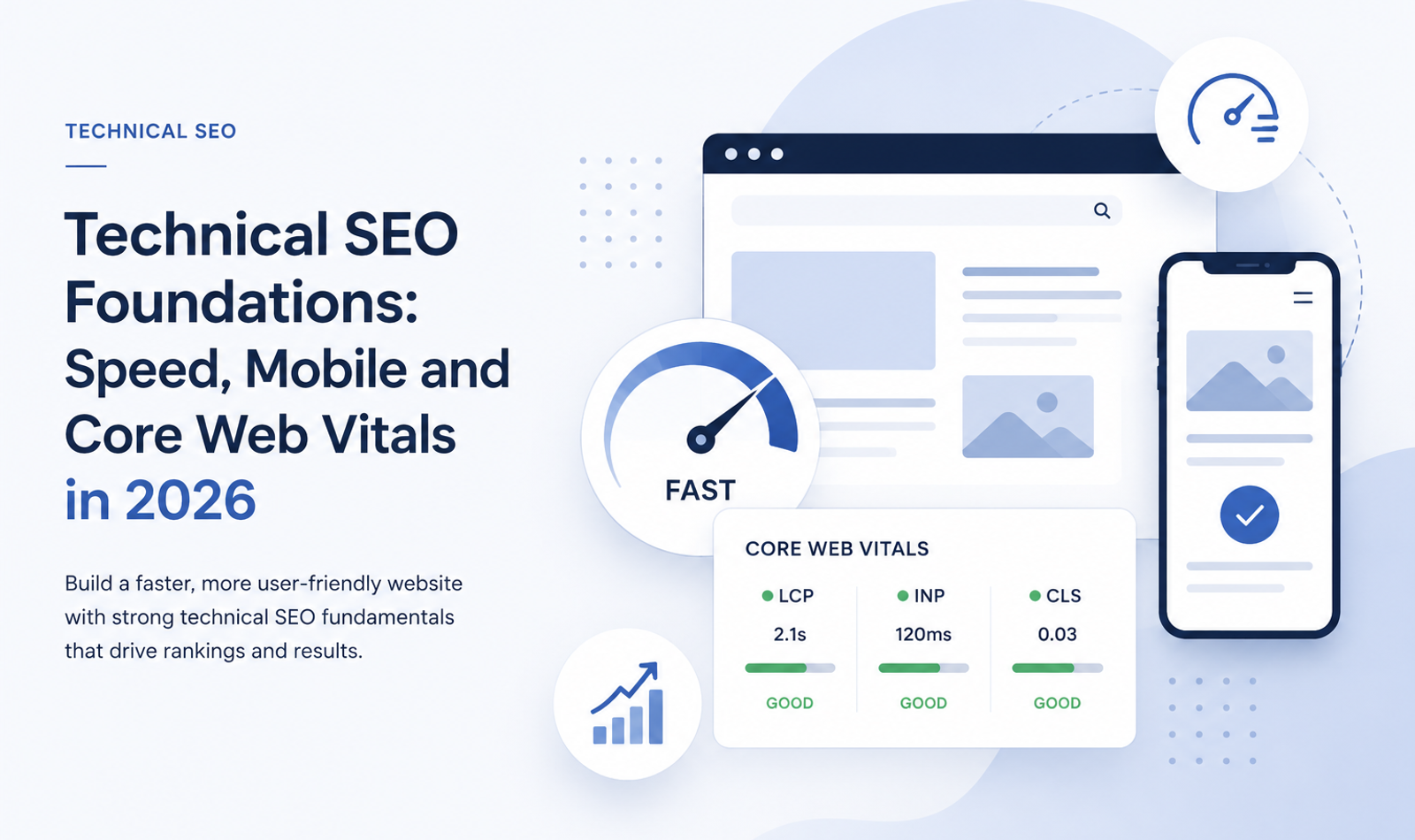
Technical SEO Foundations: Speed, Mobile and Core Web Vitals in 2026
Technical SEO is the foundation that allows a website’s content, design and marketing efforts to perform effectively in organic search. A business may publish valuable content, create attractive landing pages and target relevant keywords, but these efforts can produce limited results when search engines cannot crawl, render, understand or index the website properly.
In 2026, technical SEO is no longer limited to submitting a sitemap or adding title tags. Modern websites rely on JavaScript frameworks, responsive layouts, third-party integrations, high-resolution media, analytics tools, animations and dynamic content. Each of these elements can improve the user experience, but each can also create performance and indexing problems when it is implemented incorrectly.
Website speed, mobile usability and Core Web Vitals are particularly important because they affect both users and search engines. A slow website can discourage visitors before they view the main content. An unstable layout can cause accidental clicks. A page that responds slowly to interaction can make even a visually impressive website feel unreliable. Similarly, a mobile version that contains less content than its desktop equivalent may prevent search engines from fully understanding the page.
Professional website development and digital marketing services can help businesses connect technical SEO, development, UX, content architecture and long-term organic growth.
Technical SEO therefore connects several areas of website management. It involves development, design, hosting, content architecture, accessibility, performance and search engine optimisation. It is not a single task that can be completed once and forgotten. It requires a stable technical foundation, regular monitoring and continuous improvement.
This guide explains the essential technical SEO foundations businesses should understand in 2026, with particular attention to website speed, mobile-first indexing and Core Web Vitals.
What Is Technical SEO?
Technical SEO is the process of improving a website’s technical structure so that search engines can discover, crawl, render, index and understand its pages efficiently.
Traditional on-page SEO focuses on elements such as headings, keywords, internal links and content quality. Off-page SEO focuses primarily on external authority, brand mentions and backlinks. Technical SEO supports both by ensuring that the website itself does not prevent search engines or users from accessing its content.
Businesses that need a broader understanding of the subject can review this complete technical SEO website optimization guide, which covers crawling, indexing, redirects, canonical tags, structured data and website architecture in detail.
A technically healthy website should make important pages easy to discover. Search engine crawlers should be able to follow its links, access its resources and interpret its page structure. The website should return the correct status codes, use consistent URLs and avoid creating unnecessary duplicate pages.
Technical SEO also concerns the quality of the user experience. Pages should load efficiently, remain visually stable and respond quickly when visitors interact with them. The design should adapt properly to mobile screens, and the main content should be available regardless of the device being used.
The objective is not to optimise a website only for search-engine bots. Search engines increasingly evaluate many of the same qualities that matter to human visitors. A technically strong website helps both audiences reach and understand the content.
Why Technical SEO Matters in 2026
Websites have become more technically complex. Businesses frequently use modern frameworks, content management systems, interactive components, tracking scripts, booking systems, chat tools and embedded media. While these features can support business objectives, they can also increase loading time and make pages more difficult to render.
Search engines must be able to process the final version of a page. If important content only appears after a complex JavaScript process, indexing may be delayed or incomplete. If internal links are generated in a way that crawlers cannot follow, important pages may remain undiscovered. If a website creates thousands of low-value parameter URLs, search engines may spend unnecessary resources crawling them.
Technical SEO helps prevent these issues.
It also affects commercial performance. Visitors often judge a website before they evaluate the quality of the product or service. Slow loading, broken mobile layouts and unstable components can reduce confidence. This is especially damaging for premium brands, professional services and ecommerce businesses, where the website is expected to communicate reliability.
Strong UI/UX design principles for high-end brand websites help ensure that technical performance and premium visual quality work together rather than competing with one another.
A technically efficient site provides a stronger platform for every other marketing activity. Paid advertising traffic reaches a better landing page. Social-media visitors experience fewer delays. Content marketing becomes easier to discover. Conversion optimisation becomes more reliable because technical problems are not interfering with the journey.
Technical SEO should therefore be treated as part of the website’s core infrastructure rather than as an isolated marketing adjustment.
Website Speed as a Technical SEO Foundation
Website speed describes how quickly a page begins loading, displays its important content and becomes responsive to user interaction.
Speed is not represented by only one measurement. A page may display its background quickly but delay the main image. It may appear visually complete while the browser remains busy processing JavaScript. It may load efficiently on a fast office connection but perform poorly on a mid-range mobile device using a slower network.
This is why performance must be examined from several perspectives.
The time taken by the server to respond affects how soon the browser can begin processing the page. The size and order of CSS, JavaScript, fonts, images and video influence how quickly visible content appears. The amount of work required on the browser’s main thread affects how quickly the page can respond to a click, tap or keyboard action.
A technically optimised website reduces unnecessary work at each stage.
Speed matters because users do not experience a website as a collection of technical files. They experience it as a delay or an immediate response. Every unnecessary second between clicking a result and viewing useful content increases friction.
For SEO, performance should not be approached as an attempt to achieve a perfect score in a testing tool. The real objective is to create a consistently fast experience for actual visitors.
Understanding Core Web Vitals in 2026
Core Web Vitals are metrics designed to measure important aspects of real-world page experience. The current set focuses on loading performance, responsiveness and visual stability.
The three Core Web Vitals are Largest Contentful Paint, Interaction to Next Paint and Cumulative Layout Shift.
A website should aim to achieve a good result for these metrics at the 75th percentile of page visits. This means that at least 75 percent of measured visits should meet the recommended threshold. Results should be reviewed separately for mobile and desktop because performance can differ significantly between devices.
Core Web Vitals provide a more meaningful view of performance than a single general speed score. Each metric represents a different part of the experience and requires different optimisation methods.
Improving one metric does not automatically improve the others. A website may load its largest image quickly but respond slowly to interaction because of excessive JavaScript. Another website may respond quickly but suffer from layout movement caused by advertisements or images without reserved dimensions.
Understanding each metric makes it easier to diagnose the actual problem.
Largest Contentful Paint
Largest Contentful Paint, commonly called LCP, measures loading performance. It records how long it takes for the largest visible content element within the initial viewport to render.
The LCP element is often a hero image, a large heading, a banner or a prominent content block. On a service website, it may be the main visual at the top of the page. On an article, it may be the featured image or title area. On an ecommerce product page, it may be the main product image.
A good LCP is 2.5 seconds or less. A result between 2.5 and 4 seconds needs improvement, while a result above 4 seconds is considered poor.
LCP problems often begin before the main element is downloaded. A slow server response, redirect chain or delayed HTML document can prevent the browser from discovering the resource quickly. Render-blocking stylesheets, large font files and client-side rendering can create additional delay.
Image-heavy websites frequently struggle with LCP because the main visual is too large or is loaded too late. The browser may not discover a hero background image until it has downloaded and processed a CSS file. A JavaScript slider may wait for a script to execute before displaying the first image. Lazy loading may also be applied incorrectly to an image that should load immediately.
Improving LCP requires identifying the actual element being measured. Once the element is known, the loading sequence can be examined. The server should return the initial document quickly, and the browser should discover the main resource early. The image should be compressed, delivered at the correct dimensions and served through an efficient format.
The main LCP image should generally not be treated like below-the-fold media. It should receive a higher loading priority than secondary images.
The objective is not simply to display something quickly. It is to display the content visitors consider most important.
Interaction to Next Paint
Interaction to Next Paint, or INP, measures how responsive a page is when a visitor interacts with it. It observes interactions such as clicks, taps and keyboard input and measures how long the browser takes to present the next visual response.
A good INP is 200 milliseconds or less. A result between 200 and 500 milliseconds needs improvement, while a result above 500 milliseconds is poor.
INP is important because a page can appear fully loaded but still feel slow. A menu may take too long to open. A form field may respond late. A product filter may freeze the interface. A user may click a button and receive no immediate visual confirmation because the browser is processing a large amount of JavaScript.
These delays often occur when the browser’s main thread is occupied by long tasks. JavaScript parsing, execution, layout calculations and third-party scripts can prevent the browser from handling user input promptly.
Modern websites commonly include analytics platforms, advertising scripts, chat widgets, video players, animation libraries and personalisation tools. Each individual script may appear reasonable, but together they can create significant processing work.
Improving INP usually requires reducing the amount of JavaScript delivered and controlling when it runs. Large tasks can be divided into smaller tasks so that the browser has opportunities to respond to the user. Non-essential scripts can be delayed until after the main content is interactive. Components should avoid performing unnecessary calculations every time a visitor clicks or types.
Developers should also examine how the page updates after an interaction. A simple menu action should not trigger a complete page rerender. A search field should not execute a heavy operation after every character without an appropriate delay.
Fast interaction builds confidence. Users should feel that the website acknowledges their actions immediately, even when the final operation takes slightly longer to complete.
Cumulative Layout Shift
Cumulative Layout Shift, or CLS, measures visual stability. It evaluates how much visible content moves unexpectedly while the page is being used.
A good CLS score is 0.1 or less. A score between 0.1 and 0.25 needs improvement, while a score above 0.25 is poor.
Unexpected movement can occur when an image loads without reserved space and pushes text downward. A web font may change the dimensions of a heading after it appears. A promotional banner may be inserted above existing content. An advertisement or embedded video may expand after the user has already started reading.
These movements are more than visual imperfections. They can cause visitors to lose their place or click the wrong element. A button may move at the exact moment a user tries to select it.
The most direct way to improve CLS is to reserve space for visual elements before they load. Images and videos should have known dimensions or an appropriate aspect ratio. Embedded content should appear within a container that already has sufficient space.
Dynamic content should generally not be inserted above content the visitor is currently viewing unless it is triggered by a deliberate action. Cookie notices, promotional bars and notification messages should be designed so that they do not unexpectedly move the main layout.
Font loading should also be considered. Different typefaces can occupy different amounts of space. When a fallback font is replaced by the intended font, headings and paragraphs may reflow. Selecting a suitable fallback and optimising font delivery can reduce this movement.
Visual stability is an important part of perceived quality. A stable page feels carefully engineered, while a shifting page feels unfinished.
Field Data and Laboratory Data
Performance tools generally provide either field data or laboratory data.
Field data is collected from real users visiting a website under different conditions. These users have different devices, connection speeds, geographic locations and browsing behaviour. Field data therefore represents the experience the audience is actually receiving.
Laboratory data is generated in a controlled test environment. A tool loads the page using predefined device and network conditions and reports potential performance issues.
Both types of information are useful, but they serve different purposes.
Field data is valuable for evaluating whether a page or group of pages is meeting Core Web Vitals thresholds in practice. It can reveal that visitors on mobile devices are experiencing problems even when the development team cannot reproduce them on powerful computers.
Laboratory data is valuable for diagnosis. It can identify render-blocking resources, oversized images, long JavaScript tasks and other technical opportunities. It also allows developers to test a page before it receives enough real traffic to generate reliable field data.
A laboratory test should not be treated as a perfect prediction of every visitor’s experience. Similarly, field data may show that a problem exists without explaining exactly what caused it.
An effective performance workflow uses field data to identify and prioritise problems, then uses laboratory tools and browser diagnostics to investigate and fix them.
Mobile-First Indexing
Mobile-first indexing means that Google primarily uses the mobile version of a website’s content for indexing and ranking.
This does not mean that a separate mobile website is required. A responsive website that presents equivalent content across screen sizes is usually the most manageable approach. The important requirement is that the mobile experience should contain the same meaningful information and search signals as the desktop experience.
In the past, some businesses created simplified mobile pages with shorter content and fewer internal links. Under mobile-first indexing, this can create an SEO problem because the reduced mobile version is the version search engines primarily evaluate.
Important text, headings, images, internal links and structured data should therefore remain available on mobile. Content may be arranged differently or placed within expandable sections to improve usability, but it should not be removed merely to make the design shorter.
Metadata should remain equivalent across versions. Image alternative text should be present. Canonical instructions should be consistent, and structured data should represent the content available on the mobile page.
The mobile version must also allow search-engine crawlers to access the necessary resources. Blocking CSS, JavaScript or images can prevent the page from being rendered correctly.
Mobile-first indexing is fundamentally about content and accessibility, while mobile usability is about the visitor’s experience. Both are important, but they are not identical.
Designing for Mobile Users
A mobile-friendly website should adapt to the limitations and advantages of a smaller touchscreen.
Responsive design should not simply shrink the desktop layout. Content needs to be reordered according to priority. Multi-column sections may need to become a single column. Navigation should be easy to open and close. Buttons and links need enough space to prevent accidental taps.
Typography should remain readable without requiring zooming. Paragraph widths should fit comfortably within the viewport, and forms should use appropriate input types so that mobile keyboards support the required information.
Large visual elements must be handled carefully. A cinematic background video may create impact on desktop but become slow and distracting on mobile. An oversized heading may break into too many lines. Hover-based interactions may not work because touchscreen users do not have a traditional cursor.
Mobile performance should be tested on realistic hardware. A website that works smoothly on a premium smartphone may still perform poorly on the mid-range devices used by much of the audience.
Network conditions must also be considered. Testing only on office Wi-Fi can hide the effect of large media files and third-party scripts.
A strong mobile experience gives users access to the same value as the desktop version while presenting it in a format suited to the device.
The balance between luxury website UX, minimalism, speed and emotional impact is especially important when adapting high-end websites for mobile visitors.
Server Response and Hosting Performance
Every page load begins with a request to a server. When the server takes too long to return the initial HTML document, every later stage is delayed.
Server performance is influenced by hosting quality, application architecture, database queries, geographic distance and caching. A website may use compressed images and minimal JavaScript but still feel slow because the server spends too long generating the page.
Caching can reduce repeated processing by storing versions of frequently requested pages or resources. A content delivery network can serve static files from locations closer to users, reducing network delay.
Dynamic websites should also review database performance. A page should not perform numerous expensive queries every time it is requested. Content-management systems may become slow when they contain unnecessary plugins, inefficient themes or poorly optimised databases.
Redirects should be minimised because each redirect adds another request and response before the final page begins loading. This is especially relevant when a website redirects through several versions, such as HTTP to HTTPS, non-www to www and an old path to a new path.
Reliable hosting alone will not solve every performance problem, but weak server performance makes other improvements less effective. A fast frontend cannot begin until the server provides the required document.
Image and Video Optimisation
Images are often the largest resources on a page, particularly for ecommerce, hospitality, fashion, real estate and creative-agency websites.
Image optimisation begins with serving the correct dimensions. A browser should not download a 3000-pixel image when it will be displayed at 500 pixels. Responsive-image techniques allow different versions to be delivered according to the visitor’s screen size.
Compression should reduce file size without creating obvious visual damage. Modern formats can often provide smaller files than traditional formats while maintaining suitable quality.
Images below the initial viewport can be lazy-loaded so that they are downloaded when they are closer to being viewed. However, the primary image responsible for LCP should not be delayed through unnecessary lazy loading.
Image dimensions or aspect ratios should be defined so that the browser reserves space before each file loads. This helps prevent layout shifts.
Video should receive even more careful treatment. Autoplay background videos can require significant bandwidth and processing. They should be compressed, kept short and supported by a suitable poster image. Mobile users may need a simplified version or a static alternative.
Media optimisation should be part of the publishing workflow. Relying on developers to manually repair every oversized image after it has been uploaded is inefficient. Content-management systems should automate resizing where possible, and editors should understand the appropriate formats and dimensions.
Brands using video-led campaigns can also review the benefits, costs and use cases of AI video advertising while ensuring that embedded assets do not weaken website performance.
JavaScript and Rendering
JavaScript allows websites to provide dynamic and interactive experiences, but it can also create problems for performance and search visibility.
When a browser receives JavaScript, it may need to download, parse, compile and execute the code before certain content appears. Large scripts can delay rendering and block interaction.
Search engines can process JavaScript, but important content should not depend on fragile or unnecessarily complex client-side behaviour. Server-side rendering, static generation or other rendering approaches can make essential content available in the initial HTML.
The correct approach depends on the website. An interactive dashboard has different requirements from a public service page or blog article. For SEO-focused pages, the main content, headings, links and metadata should be available reliably.
Internal links should use standard crawlable elements and destinations. Search engines should not need to simulate unusual actions simply to discover another page.
Lazy-loaded content must also be implemented correctly. Important information should appear when it enters the viewport and should not depend exclusively on actions such as hovering or clicking a button that a crawler may never perform.
JavaScript should be reviewed as a performance budget. Every library and third-party tool adds cost. Teams should ask whether the business value of a script justifies its effect on loading and responsiveness.
Crawlability and Indexability
A page cannot rank when search engines cannot find or index it.
Crawlability refers to whether a search-engine crawler can access a page and follow its links. Indexability refers to whether the page is eligible to be stored and shown in search results.
A robots.txt file can control crawler access to certain paths, but it should be used carefully. Blocking a page from crawling is not the same as preventing it from being indexed. Sensitive or private content should be protected through proper authentication rather than relying only on robots.txt.
Meta robots directives can tell search engines not to index a page or not to follow its links. These directives should be reviewed whenever important pages disappear from search results.
Canonical tags help indicate the preferred URL when similar or duplicate versions exist. However, a canonical is a signal rather than a guaranteed command. The preferred page should also be supported through internal links, sitemaps and redirects where appropriate.
XML sitemaps provide search engines with a list of important canonical URLs. They are particularly useful for large websites, new websites and sites with pages that are not easily discovered through internal links. A sitemap should contain indexable, canonical pages rather than redirects, error pages or URLs blocked from indexing.
Technical audits should compare the URLs a business wants indexed with the URLs search engines can actually discover and process.
A practical on-page SEO checklist for higher rankings can help ensure that indexable pages also contain strong titles, headings, internal links, schema and useful content.
URL Structure and Duplicate Content
URLs should be readable, stable and logically organised.
A descriptive URL gives users and search engines context about the page. A structure such as /services/technical-seo is clearer than a URL containing an unexplained string of parameters.
Unnecessary parameters can create multiple versions of the same content. Sorting, filtering, tracking codes and session information may generate large numbers of URLs that provide little unique value.
This can lead to duplicate content and inefficient crawling. Search engines may spend time processing parameter combinations rather than focusing on important pages.
The website should decide which filtered or faceted pages deserve to be indexed. A useful category page targeting genuine search demand may be valuable, while an unlimited combination of colours, prices and sorting options may not be.
Duplicate versions should be consolidated through consistent internal linking, canonical tags or redirects. HTTP and HTTPS versions should not remain independently accessible. The same applies to preferred hostname versions and unnecessary trailing-slash variations.
A clean URL system is easier to manage, analyse and migrate.
Internal Linking and Website Architecture
Website architecture determines how pages are organised and connected.
Important pages should not be hidden several levels deep without clear links. A logical structure helps visitors understand the website and helps search engines discover relationships between topics.
The homepage usually links to major categories or services. These pages then link to more specific subpages, case studies or articles. Related content should be connected through contextual internal links rather than relying only on the main navigation.
Anchor text should describe the destination naturally. Phrases such as “technical SEO services” provide more context than repeated links labelled “click here.”
Orphan pages have no internal links pointing to them. Even when they appear in a sitemap, they may be treated as less important and can be difficult for visitors to discover. Regular crawls can identify these pages.
Breadcrumb navigation can improve orientation on larger websites and reinforce the content hierarchy. It allows users to move back to a broader category without restarting their journey.
An effective architecture should reflect both the business offering and the way users search for information.
A connected content strategy for blogs, galleries and lead magnets can help businesses organise articles, services, projects and conversion assets into clear topic clusters.
HTTP Status Codes and Redirects
HTTP status codes communicate the result of a request.
A successful page normally returns a 200 status. A permanently moved page should use a 301 redirect to its most relevant replacement. A temporary move may use an appropriate temporary redirect when the original URL is expected to return.
A page that no longer exists and has no suitable alternative should return a genuine 404 or 410 status. Redirecting every removed page to the homepage creates a confusing experience and does not preserve relevance automatically.
Redirect chains should be avoided. When an old URL redirects to another URL that redirects again, users and crawlers must complete multiple requests. Internal links should point directly to the final destination.
Soft 404s occur when a page appears to be missing or empty but returns a successful status. This can confuse search engines and reporting tools.
Server errors also require attention. Repeated 5xx errors can prevent crawling and create a poor experience for visitors.
Status codes are a basic technical element, but incorrect handling can affect large sections of a website.
HTTPS and Security
A secure HTTPS connection protects information exchanged between the visitor and the website.
Every public page should be available through HTTPS, and HTTP versions should redirect consistently to their secure equivalents. Internal links, canonical tags, sitemaps and structured data should use the HTTPS URLs.
Mixed content occurs when an HTTPS page loads a resource through an insecure HTTP connection. Browsers may block the resource or show a warning, reducing trust and potentially affecting functionality.
Security also includes keeping software, plugins and frameworks updated. A technically optimised website that contains known vulnerabilities is not providing a reliable experience.
Forms should handle personal information responsibly, and unnecessary data should not be collected. Security headers and appropriate access controls can provide further protection.
Businesses collecting enquiry, booking or customer data should follow suitable secure website practices for premium clients.
Visitors expect a professional website to be secure by default.
Structured Data and Technical SEO
Structured data provides machine-readable information about the entities and content represented on a page.
It can help search engines understand whether a page relates to an organisation, article, service, product, event, breadcrumb path or another supported type.
Structured data should accurately represent visible page content. It should not make claims that users cannot verify on the page. Properties should be complete, consistent and technically valid.
Adding structured data does not guarantee a rich result, but correct markup can make a page eligible for supported search features.
The markup should use canonical URLs, accurate names and relevant identifiers. Organisation information should remain consistent across the site. Article markup should reflect the actual author, publication date and image. Breadcrumb markup should match the visible hierarchy.
Structured data should be tested after significant website changes because template updates can accidentally remove or duplicate it.
It supports understanding, but it does not replace quality content or sound architecture.
Measuring Technical SEO Performance
Technical SEO should be monitored through several tools rather than a single score.
Google Search Console can reveal indexing problems, crawl issues, Core Web Vitals groups and search performance. URL inspection can show whether a specific page has been indexed and which version Google selected as canonical.
Page-performance tools can provide both field and laboratory information. Browser developer tools can identify network delays, large resources, JavaScript tasks and layout shifts.
A website crawler can evaluate internal links, status codes, metadata, canonical tags, heading structure and indexability across many pages.
Server logs provide another valuable perspective because they show which URLs search-engine crawlers are actually requesting. This is particularly useful for large websites where crawl behaviour cannot be understood only through a visual review.
Reports should be interpreted in context. A Lighthouse score from one test is not the entire performance strategy. A page can receive different results depending on the device, network and server conditions at that moment.
The goal is to identify patterns, prioritise important templates and verify improvements with real-user data.
Prioritising Technical SEO Fixes
Technical audits often produce a long list of issues. Attempting to fix everything at once can waste resources.
Prioritisation should consider impact, scale and effort.
An indexing directive accidentally applied to a major service section has greater urgency than a minor metadata inconsistency on one low-value page. A performance problem affecting every product page deserves more attention than an isolated issue on an old article.
Core templates should usually be addressed before individual pages. Improving a shared image component may fix LCP and CLS across hundreds of URLs. Correcting a navigation component may improve internal linking throughout the website.
Teams should also distinguish between errors, warnings and opportunities. Not every warning creates a meaningful SEO problem. Technical recommendations must be evaluated according to the website’s business objectives and architecture.
A useful process is to identify the problem, measure its scale, estimate its effect, implement the change and confirm the result. Fixes should not be considered complete until they have been tested in production.
Creating an Ongoing Technical SEO Process
Technical SEO should continue after a website launches.
New content can create broken links or duplicate categories. Design updates can increase image sizes. Marketing tools can add third-party JavaScript. Framework upgrades can change rendering behaviour. Redirects may be lost during migrations.
Regular monitoring helps detect these problems before they significantly affect users or organic visibility.
Core Web Vitals should be reviewed by page type because different templates may have different problems. The homepage may struggle with a large hero video, while blog posts may suffer from advertisements or embedded content. Product pages may become slow because of reviews, recommendations and tracking scripts.
Performance budgets can help prevent regression. A team may define limits for JavaScript size, image weight or third-party tools. Significant changes can then be tested before release.
Developers, designers, content teams and SEO specialists should share responsibility. Performance cannot be protected when each department adds features independently without considering the total technical cost.
A successful process makes technical quality part of everyday website management.
Technical SEO for Ecommerce and Booking Websites
Ecommerce and booking websites often contain more technical complexity than standard service websites.
They may include product variations, filters, search tools, payment gateways, customer accounts, availability systems and large media libraries.
These features can create duplicate URLs, JavaScript delays and crawl inefficiencies when they are not planned carefully.
Product and category pages should remain crawlable and indexable. Filters should not create unlimited low-value combinations. Product images should be compressed and delivered at suitable dimensions.
Checkout and booking systems should also remain responsive on mobile devices.
Secure ecommerce and booking website maintenance can help protect performance, transactions, uptime and customer confidence after launch.
Technical SEO for Service Websites
Service websites depend on technical SEO to generate qualified enquiries.
Important pages may include the homepage, service pages, location pages, case studies, blog articles and enquiry pages.
Each page should load quickly, work properly on mobile and remain easy for search engines to crawl.
Forms and calls to action should respond without delay. Important service content should not be hidden behind client-side rendering that fails to load consistently.
Technical SEO should also connect with a clear conversion-focused marketing funnel, allowing organic visitors to move from educational content towards proof, services and meaningful enquiry actions.
Technical SEO for Luxury and Premium Brands
Luxury and premium websites often depend on high-resolution imagery, video, custom fonts and detailed animation.
These assets can strengthen emotional impact, but they can also increase loading time and processing requirements.
The goal is not to remove visual storytelling.
The goal is to make it performance-ready.
A premium website should deliver strong visuals at suitable dimensions, use video selectively and reserve layout space before media loads.
Custom animations should not delay access to important content or interfere with mobile usability.
A specialised approach to SEO for luxury brands can improve organic visibility while preserving the brand’s refined tone and positioning.
Frequently Asked Questions
What Is Technical SEO?
Technical SEO is the process of improving a website’s technical structure so search engines can discover, crawl, render, index and understand its pages properly.
It includes website speed, mobile usability, Core Web Vitals, crawlability, indexability, URL structure, redirects, structured data, security and overall site performance.
Why Is Technical SEO Important in 2026?
Technical SEO is important in 2026 because modern websites use advanced frameworks, JavaScript, high-resolution media, animations, third-party scripts and dynamic content.
These features can improve design and user experience, but they can also create speed, crawling and indexing issues if they are not implemented correctly.
A technically strong website helps both users and search engines access content smoothly.
What Are Core Web Vitals?
Core Web Vitals are performance metrics used to measure important parts of the user experience.
They focus on how quickly the main content loads, how fast the page responds to user interaction and how stable the layout remains while loading.
The key Core Web Vitals are Largest Contentful Paint, Interaction to Next Paint and Cumulative Layout Shift.
What Is Largest Contentful Paint?
Largest Contentful Paint, or LCP, measures how long it takes for the largest visible content element on a page to load.
This element is often a hero image, large heading, banner or featured visual.
A good LCP helps visitors see meaningful content quickly and improves the overall page experience.
What Is Interaction to Next Paint?
Interaction to Next Paint, or INP, measures how quickly a page responds after a visitor interacts with it.
This may include clicking a button, opening a menu, typing in a form or using a filter.
A good INP makes the website feel smooth, responsive and reliable.
What Is Cumulative Layout Shift?
Cumulative Layout Shift, or CLS, measures how much content moves unexpectedly while a page loads.
Poor CLS can happen when images, advertisements, fonts or banners load without reserved space.
A stable layout improves usability and prevents users from accidentally clicking the wrong element.
Why Is Mobile-First Indexing Important for SEO?
Mobile-first indexing means that Google primarily uses the mobile version of a website for indexing and ranking.
This makes mobile content, usability and performance extremely important.
The mobile version should include the same important content, links, headings, metadata and structured data as the desktop version.
How Does Website Speed Affect SEO?
Website speed affects SEO because it influences user experience, engagement and page performance.
A slow website can increase exits, reduce conversions and make the brand feel less reliable.
Search engines also use page-experience signals, including Core Web Vitals, to better understand the quality of the user experience.
How Can Images and Videos Be Optimised for Technical SEO?
Images and videos can be optimised by using the correct dimensions, compressing files, serving modern formats, lazy-loading below-the-fold media and reserving layout space to prevent shifts.
The main hero image should load quickly because it often affects Largest Contentful Paint.
Videos should be compressed and used carefully, especially on mobile devices.
Why Is JavaScript Important in Technical SEO?
JavaScript is important because it can affect page rendering, speed, responsiveness and crawlability.
If important content or links depend too heavily on JavaScript, search engines may have difficulty processing the page.
Excessive JavaScript can also slow interaction and negatively affect INP.
What Should a Technical SEO Audit Include?
A technical SEO audit should include crawlability, indexability, website speed, Core Web Vitals, mobile usability, redirects, status codes, canonical tags, XML sitemaps, robots.txt, internal linking, structured data, HTTPS security, JavaScript rendering and overall site architecture.
The audit should focus on issues that affect important pages and business goals.
How Often Should Technical SEO Be Checked?
Technical SEO should be monitored regularly, especially after website updates, migrations, design changes, plugin installations, new landing pages or changes in tracking tools.
Since websites keep changing, technical SEO should be treated as an ongoing process rather than a one-time task.
Conclusion
Technical SEO foundations in 2026 are built around accessibility, efficiency and consistency.
Search engines must be able to discover, crawl, render, understand and index important content. Visitors must be able to open the website quickly, use it comfortably on a mobile device and interact with it without delay or unexpected movement.
Website speed, mobile-first indexing and Core Web Vitals are central to this foundation, but they do not operate independently. Server performance affects LCP. JavaScript affects rendering and INP. Image dimensions affect CLS. Mobile content affects indexing. Internal linking affects discovery, while canonical tags and status codes affect how search engines interpret URLs.
A technically strong website does not attempt to manipulate rankings through isolated adjustments. It creates an environment in which relevant content can be found and experienced properly.
Core Web Vitals should be treated as user-experience standards rather than merely numbers to display in a report. Achieving a good LCP means visitors see meaningful content sooner. Achieving a good INP means the website responds when they interact. Achieving a good CLS means the page remains stable while they read and make decisions.
Technical SEO also requires balance. Visual quality should not be achieved through unnecessarily heavy media. Interactivity should not depend on excessive JavaScript. Mobile layouts should not remove important information. Search-engine access should not come at the cost of security or usability.
The strongest websites combine technical performance with helpful content, clear architecture and a meaningful brand experience. When these areas work together, the website becomes easier to discover, easier to use and more capable of supporting long-term organic growth.
Technical SEO is therefore not only a search-engine requirement. It is an investment in the quality, reliability and commercial performance of the entire digital presence.
Ready to Improve Your Website’s Technical SEO Performance?
Your website should do more than look good. It should load quickly, work smoothly on mobile, meet strong technical standards and help search engines understand your content clearly.
At Double Trouble Studio, we help brands build and optimise high-performing websites with technical SEO, Core Web Vitals improvement, mobile optimisation, website development, content strategy, digital marketing, PR, AI video and complete creative-growth solutions.
Businesses looking for website development and digital marketing services in Mumbai can work with our team across technical audits, performance optimisation, responsive development, site architecture and long-term SEO.
Brands can also review Double Trouble Studio’s completed work to see how strategy, design, content and technical execution can operate as one connected website experience.
Contact Double Trouble Studio for technical SEO, website-speed optimisation, mobile-first development, Core Web Vitals improvement, branding, PR, AI video and digital-marketing strategy.
📩 info@dtsworld.in 📞 +91 80000 06021 📍 Andheri West, Mumbai
Related reading: SEO agency in Mumbai.
Need this for your brand?
Let DTS build your next campaign.
From PR, celebrity management and events to websites, social media, SEO and AI video production — Double Trouble Studio helps brands grow with strategy and execution.
Discuss Your Requirement →