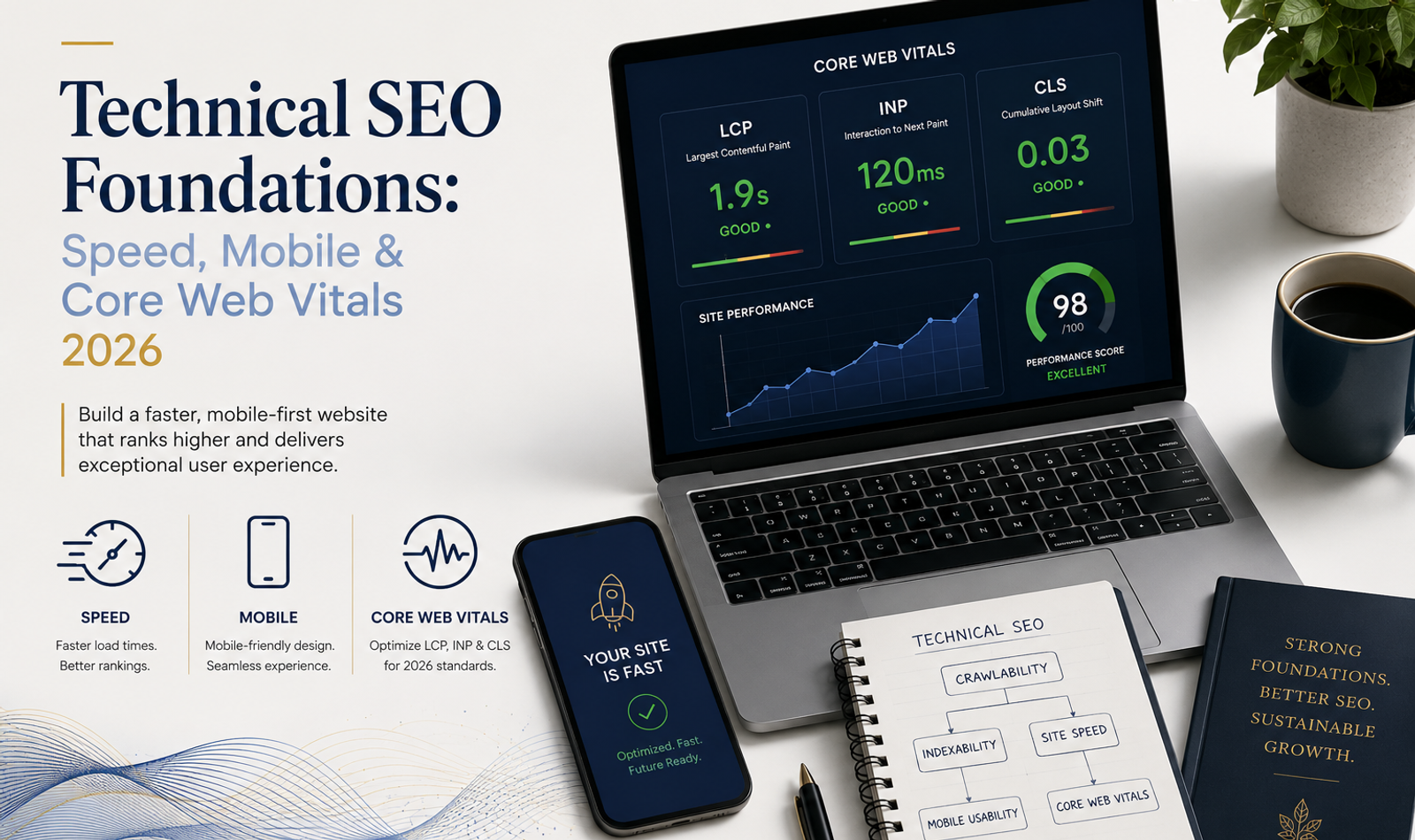
Technical SEO Foundations: Speed, Mobile & Core Web Vitals 2026
A website can have excellent content, strong branding and an attractive design, but still struggle to perform in organic search if its technical foundation is weak.
Search engines need to discover pages, crawl them efficiently, understand their content, render them correctly and decide whether they should appear in search results. At the same time, users expect websites to load quickly, respond immediately and work smoothly across mobile devices.
This is where technical SEO becomes important.
Technical SEO is the process of improving the technical structure and performance of a website so that search engines can access and understand it while users receive a fast, stable and reliable experience.
In 2026, technical SEO extends beyond adding an XML sitemap or changing a few meta tags. Website speed, mobile usability, Core Web Vitals, JavaScript rendering, crawlability, indexing, internal architecture, structured data and server performance all contribute to the health of a modern website.
For businesses investing in website development and digital marketing, technical SEO should therefore be considered during development rather than treated as a repair exercise after launch.
A strong technical foundation does not guarantee rankings by itself. Content quality, relevance, authority, competition and search intent still matter.
But technical problems can prevent otherwise valuable content from reaching its full organic potential.
What Is Technical SEO?
Technical SEO refers to website improvements that make it easier for search engines to crawl, render, understand and index pages while improving the experience for users.
It includes areas such as:
- Website speed
- Core Web Vitals
- Mobile usability
- Crawlability
- Indexability
- XML sitemaps
- Robots.txt
- Canonicalisation
- URL structure
- Internal linking
- HTTPS
- Redirects
- Broken links
- JavaScript rendering
- Structured data
- Image optimisation
- Server performance
- Website architecture
Technical SEO differs from content SEO.
Content SEO focuses primarily on what a page communicates and how well it satisfies search intent.
Technical SEO focuses on whether the underlying website allows that content to be efficiently discovered, accessed and experienced.
The two must work together.
Publishing hundreds of articles on a technically unstable website is not a strong SEO strategy. Equally, achieving excellent technical performance will not compensate for irrelevant or weak content.
Why Technical SEO Matters in 2026
Modern websites are increasingly sophisticated.
Brands use:
- JavaScript frameworks
- Interactive interfaces
- High-resolution imagery
- Video
- Animation
- Personalisation
- Third-party tracking
- Marketing pixels
- Chat systems
- Booking engines
- CRM integrations
- E-commerce functionality
Each feature can improve the customer experience when implemented correctly.
But each can also introduce technical complexity.
A visually impressive homepage containing several large videos, custom fonts, tracking scripts and animations may become slow on mobile.
A JavaScript application may look perfect to users while important pages are difficult for search engines to discover or render.
An e-commerce website may accidentally create thousands of duplicate URLs through filters and parameters.
Technical SEO helps manage this complexity.
A professional web development and marketing strategy should therefore consider SEO architecture, performance and crawlability from the beginning of the development process.
Understand How Search Engines Discover Websites
Before improving technical SEO, it helps to understand the basic search process.
Search engines generally need to:
Discover → Crawl → Render → Understand → Index → Rank
These stages are related but different.
Discovery
Search engines find URLs through sources such as:
- Internal links
- External links
- XML sitemaps
- Previously discovered URLs
Crawling
A search engine requests the URL and retrieves information from the page.
Rendering
Modern websites may require JavaScript execution before important content becomes visible.
Search engines may therefore need to render the page to understand the final output.
Indexing
After processing the page, the search engine determines whether it should be stored in its index.
Ranking
When someone searches, the search engine evaluates indexed pages against the query and many other signals.
A page can therefore exist without being indexed.
It can be crawled without being indexed.
It can be indexed without ranking well.
Understanding these differences is essential when diagnosing SEO problems.
Website Speed and Technical SEO
Website speed is one of the most visible areas of technical performance.
Users expect pages to respond quickly.
When a page feels slow, people may leave before engaging with the content, viewing a service or completing an enquiry.
Speed also influences the overall quality of the digital experience.
This is particularly important for premium businesses.
A company may invest significantly in branding, photography and campaigns, but a slow website can weaken the perception created through those channels.
For brands using PR, media and marketing to generate awareness, the website must be technically prepared to receive and convert the traffic those campaigns create.
What Are Core Web Vitals?
Core Web Vitals are user-experience metrics designed to evaluate important aspects of real-world website performance.
In 2026, the three Core Web Vitals are:
Largest Contentful Paint (LCP) — loading performance.
Interaction to Next Paint (INP) — responsiveness.
Cumulative Layout Shift (CLS) — visual stability.
These metrics should not be viewed simply as numbers that developers need to "pass."
They represent real experience problems.
A poor LCP means important content takes too long to appear.
A poor INP means the page feels slow when someone interacts with it.
A poor CLS means content unexpectedly moves around while the user is trying to read or interact with the page.
Largest Contentful Paint (LCP)
LCP measures how long it takes for the largest significant content element visible within the viewport to render.
This may be:
- A hero image
- A large heading
- A banner
- A video poster image
- A large content block
A good LCP is generally 2.5 seconds or less.
When LCP is slow, the visitor may see an incomplete page for too long.
Common Causes of Poor LCP
Typical causes include:
- Slow server response
- Oversized hero images
- Poor image compression
- Render-blocking resources
- Heavy CSS
- Slow font loading
- Client-side rendering delays
- Large background assets
- Third-party scripts
Improving LCP
Possible improvements include:
- Compressing images
- Serving modern image formats
- Correctly sizing images
- Preloading important resources
- Improving server response
- Reducing unnecessary JavaScript
- Optimising CSS delivery
- Using caching
- Using a CDN
- Prioritising above-the-fold assets
The objective is not simply to reduce file size everywhere.
The browser should receive the most important resources at the right time.
Interaction to Next Paint (INP)
INP measures how responsive a page is when someone interacts with it.
Interactions may include:
- Clicking a button
- Opening a menu
- Selecting a filter
- Expanding an accordion
- Using a form
- Interacting with a product interface
A good INP is generally 200 milliseconds or less.
A website may appear fully loaded but still feel slow if the browser is busy processing large JavaScript tasks.
This is why loading speed alone cannot describe the complete user experience.
Common Causes of Poor INP
These may include:
- Excessive JavaScript
- Long main-thread tasks
- Complicated event handlers
- Heavy third-party scripts
- Large client-side applications
- Inefficient rendering
- Unnecessary DOM complexity
Improving INP
Developers can investigate:
- Breaking large JavaScript tasks into smaller tasks
- Reducing unused JavaScript
- Improving event handling
- Limiting third-party scripts
- Optimising rendering
- Reducing unnecessary DOM updates
- Loading non-critical functionality later
The user should feel that the website responds immediately to their actions.
Cumulative Layout Shift (CLS)
CLS measures unexpected movement of visible page elements.
Imagine trying to tap a button when an advertisement, image or font suddenly loads and pushes the button downward.
That is a layout shift.
A good CLS is generally 0.1 or less.
Common Causes of Poor CLS
These include:
- Images without defined dimensions
- Advertisements without reserved space
- Embedded content loading late
- Font changes
- Dynamically inserted banners
- Cookie notices affecting layout
- Late-loading components
Improving CLS
Developers should:
- Define image dimensions
- Reserve space for embeds
- Reserve space for dynamic content
- Manage font loading carefully
- Avoid inserting content above existing content unexpectedly
- Test responsive layouts
Visual stability is especially important on mobile devices where screen space is limited.
Core Web Vitals Targets for 2026
A useful technical benchmark is:
Core Web Vital
Good Experience
Largest Contentful Paint (LCP)
≤ 2.5 seconds
Interaction to Next Paint (INP)
≤ 200 ms
Cumulative Layout Shift (CLS)
≤ 0.1
These metrics should be monitored alongside the wider customer experience.
A website should not remove useful functionality simply to chase a perfect performance score.
The objective is to create a fast, stable and useful website.
Lab Data vs Real-User Data
One important technical SEO distinction is the difference between laboratory testing and real-world user data.
Lab tools test the website under controlled conditions.
They are useful for debugging.
Real-user or field data reflects how actual visitors experience the site across different devices, networks and environments.
A website may perform extremely well on a developer's high-powered computer and fast internet connection while performing poorly for users on mid-range smartphones and slower mobile networks.
Both perspectives matter.
Lab testing helps identify problems.
Real-user data shows whether customers are actually experiencing them.
Mobile SEO in 2026
Mobile usability is no longer a secondary consideration.
Many users discover businesses through mobile search, social media and advertising.
Google also uses the mobile version of website content for indexing.
Brands should therefore ensure that important desktop content is also available and accessible on mobile.
Mobile SEO includes more than responsive resizing.
The complete mobile experience should be evaluated.
Responsive Design
A responsive website adjusts to different screen sizes.
However, technically responsive does not automatically mean usable.
Designers should check:
- Navigation
- Typography
- Buttons
- Forms
- Tables
- Images
- Video
- Pop-ups
- Sticky elements
- Interactive components
For high-end websites, mobile should preserve the brand experience without carrying unnecessary desktop complexity.
This is closely connected with broader UI/UX and website development, where visual quality and technical performance need to work together.
Mobile Page Speed
Mobile networks and devices vary considerably.
A website that performs well over office Wi-Fi may struggle on mobile data.
Common mobile performance problems include:
- Large images
- Autoplay videos
- Multiple custom fonts
- Excessive scripts
- Large animation libraries
- Third-party widgets
- Tracking tags
- Complicated navigation
Developers should test realistic mobile conditions rather than assuming desktop performance represents every visitor.
Crawlability
Crawlability refers to whether search engines can access and navigate important pages.
A technically strong site should make important content easy to discover through internal links and logical architecture.
Problems may occur when:
- Important pages are orphaned
- Navigation depends entirely on unsupported interactions
- Robots.txt blocks required resources
- Internal links are broken
- Redirect chains waste crawl activity
- Infinite URL combinations are generated
For a business with multiple services and locations, a clear locations architecture can help both customers and search engines understand geographic coverage.
Indexability
Crawlability and indexability are not the same.
A search engine may successfully crawl a page but decide not to index it.
Technical causes may include:
noindexdirectives- Canonicalisation
- Duplicate content
- Redirects
- Soft 404s
- Thin or low-value pages
- Incorrect HTTP responses
When a page does not appear in search, the correct question is not simply:
"Can Google see this URL?"
The team should determine whether the page was discovered, crawled, rendered, indexed and considered useful.
Robots.txt
The robots.txt file provides crawling instructions to compliant search-engine crawlers.
It can be useful for controlling access to certain URL patterns.
However, robots.txt should be handled carefully.
Blocking a page from crawling is not the same as explicitly requesting that it not be indexed.
Important CSS, JavaScript or page resources should also not be blocked accidentally if search engines require them to understand the page.
A robots.txt mistake can affect large sections of a website.
XML Sitemaps
An XML sitemap helps search engines discover important canonical URLs.
It is particularly useful for:
- Large websites
- New websites
- Frequently updated sites
- E-commerce websites
- Websites with deep architecture
A sitemap should contain URLs that the business actually wants indexed.
Avoid filling it with:
- Redirecting URLs
- 404 pages
- Duplicate URLs
- Non-canonical pages
noindexpages
The sitemap should support the website architecture, not compensate for poor internal linking.
Canonical Tags
Canonical tags help indicate the preferred version of similar or duplicate URLs.
For example, the same content may sometimes become accessible through multiple URL variations.
Canonicalisation can help consolidate these signals.
However, canonical tags should not be used as a universal solution for poor architecture.
Internal links, sitemaps, redirects and canonical signals should generally communicate the same preferred URL.
Conflicting signals create unnecessary ambiguity.
Duplicate Content
Duplicate content can arise through:
- URL parameters
- Product filters
- Print pages
- HTTP/HTTPS versions
- www/non-www variations
- Pagination
- Category systems
- Tracking parameters
- Reused location content
Duplicate content does not automatically create a penalty.
The larger problem is that search engines may have difficulty identifying the preferred version or may spend resources crawling unnecessary variations.
Technical SEO should reduce duplication where practical and use appropriate canonicalisation when multiple URLs are necessary.
Website Architecture
Site architecture determines how pages relate to one another.
A logical structure might look like:
Homepage → Service Category → Individual Service → Supporting Content
or:
Homepage → Location → Service in Location
A strong architecture helps visitors understand the website while giving search engines clear relationships between pages.
For a multi-service agency, users should be able to move naturally from the Double Trouble Studio homepage into relevant services, supporting work, insights and contact information.
Important pages should not require ten clicks to reach.
Internal Linking
Internal links connect pages within the same website.
They help:
- Users discover related information
- Search engines find pages
- Establish content relationships
- Distribute internal authority
- Reduce orphan pages
For example, an educational SEO article can naturally direct a reader toward a relevant website development and marketing service when they need implementation support.
Internal links should be contextual.
Adding dozens of unrelated links simply for SEO creates a worse reading experience.
URL Structure
URLs should generally be:
- Descriptive
- Stable
- Understandable
- Consistent
Avoid unnecessarily complicated URLs containing long strings of parameters or meaningless identifiers when a clean structure is possible.
A service URL should communicate what the page represents.
URL changes should also be approached carefully.
Changing established URLs without redirects can result in broken links and lost search visibility.
HTTPS and Website Security
Modern business websites should use HTTPS.
Security is particularly important when a website collects:
- Contact information
- Payment information
- Booking details
- Account credentials
- Customer data
Expired certificates, mixed-content warnings and insecure forms damage trust.
Technical SEO and security are separate disciplines, but a secure website is part of a professional technical foundation.
JavaScript SEO
Modern frameworks can create excellent digital experiences, but JavaScript introduces additional SEO considerations.
Developers should ensure that important content and links can be reliably discovered and rendered.
Potential problems include:
- Important content loading only after complex client-side actions
- Links that are not implemented as crawlable links
- Rendering errors
- Slow hydration
- Large JavaScript bundles
- Metadata not being rendered correctly
- Client-side routing problems
This is particularly relevant for websites built using frameworks such as Next.js and similar JavaScript technologies.
Technical SEO should be part of architecture decisions rather than added after development is finished.
Server-Side Rendering and Static Generation
Modern web frameworks offer different approaches to delivering content.
Depending on the website, pages may use:
- Server-side rendering
- Static generation
- Client-side rendering
- Hybrid rendering
There is no single method that is correct for every website.
The correct approach depends on:
- Content freshness
- Personalisation
- Scale
- Interactivity
- Performance
- Infrastructure
SEO teams and developers should coordinate so important content is delivered efficiently and reliably.
Image Optimisation
Images are often among the largest website resources.
This is especially relevant for luxury brands, events, hospitality, interiors and portfolio websites where visual storytelling is central.
Image optimisation should consider:
- Correct dimensions
- Compression
- Responsive images
- Modern formats
- Lazy loading
- Alt text
- File naming
- Image quality
The objective is not to compress every photograph until it looks poor.
Premium websites need visual quality.
The goal is to deliver the correct image at the correct dimensions and quality for the user's device.
Businesses showcasing visually complex services such as events and weddings should balance photographic quality with performance carefully.
Video Performance
Video can create strong engagement but can also become one of the largest performance problems.
Avoid automatically loading extremely large videos before the user needs them.
Consider:
- Poster images
- Compression
- Adaptive delivery
- Lazy loading
- Mobile behaviour
- Autoplay policies
- Hosting strategy
Brands using AI video and VFX or conventional campaign films should create web-ready versions rather than uploading production-master files directly to pages.
A beautiful video that delays the entire homepage is not a good digital experience.
Font Optimisation
Custom typography contributes significantly to brand identity.
But every additional font family and weight adds resources.
Brands should avoid loading numerous unused weights.
Technical teams can consider:
- Font subsetting
- Preloading critical fonts
- Appropriate fallback fonts
- Efficient formats
- Reducing unnecessary variants
Font behaviour should also be tested for layout shifts.
Typography should strengthen branding without damaging performance.
Third-Party Scripts
Modern marketing websites frequently contain third-party scripts for:
- Analytics
- Advertising
- Chat
- Heatmaps
- CRM systems
- Booking tools
- Social embeds
- Personalisation
Each additional script can affect performance.
This does not mean all third-party tools should be removed.
Instead, teams should periodically audit whether each script provides enough business value to justify its performance cost.
Unused tags from old campaigns should be removed.
Structured Data and Schema Markup
Structured data helps search engines understand specific information on pages.
Depending on the website, relevant structured data may include:
- Organization
- LocalBusiness
- Article
- Breadcrumb
- Product
- Event
- FAQ-related structured information where supported
- Review-related information where eligible
Structured data should describe content that genuinely exists.
It should not be used to manufacture information solely to obtain enhanced search appearances.
Correct schema implementation improves machine understanding but does not guarantee rich results.
Redirects
Redirects are necessary when URLs legitimately change.
A 301 redirect is commonly used when a page permanently moves to another URL.
However, websites often accumulate unnecessary redirect chains.
For example:
Page A → Page B → Page C → Page D
Where possible, internal links should point directly to the final destination.
Redirect maps are particularly important during:
- Website redesigns
- Domain migrations
- URL restructuring
- CMS migrations
A redesign should not destroy years of accumulated search signals simply because URL planning was ignored.
Broken Links and 404 Pages
Broken internal links create poor user experiences and unnecessary crawl problems.
Websites should regularly identify:
- Broken navigation
- Deleted pages
- Broken images
- Invalid internal links
- Incorrect external links
Not every 404 is a technical emergency.
Pages that genuinely no longer exist can correctly return a 404.
The problem arises when important pages disappear accidentally or internal navigation continuously sends users to missing URLs.
A useful custom 404 page should also help visitors return to important areas such as the homepage, services or contact page.
Server Performance
The server must respond before the browser can begin constructing the page.
Poor server performance can affect the entire experience.
Possible factors include:
- Slow hosting
- Database queries
- Uncached requests
- Server configuration
- Traffic spikes
- Application logic
- Geographic distance
Hosting decisions should reflect the scale and geographic distribution of the audience.
The cheapest hosting plan is not necessarily appropriate for a high-traffic business website.
Caching
Caching reduces the need to repeatedly generate or download unchanged resources.
Caching can occur at several levels, including:
- Browser
- Server
- Application
- CDN
A good caching strategy can significantly improve repeat visits and resource delivery.
However, configuration should account for content that needs frequent updates.
Content Delivery Networks
A CDN distributes website resources across geographically distributed infrastructure.
This can reduce the distance between users and content.
CDNs are particularly valuable for websites serving customers across multiple cities or countries.
For a business operating across several Indian markets, a clear locations strategy should be supported by infrastructure capable of delivering the website efficiently to those audiences.
Technical SEO for Service Websites
Service websites often face a different technical challenge from e-commerce platforms.
The problem is rarely millions of URLs.
Instead, common issues include:
- Weak service architecture
- Orphan service pages
- Duplicate city pages
- Thin content
- Poor internal linking
- JavaScript-heavy interfaces
- Missing metadata
- Weak conversion tracking
Each important commercial service should have a clear purpose.
For example, specialised offerings such as celebrity management and guest management benefit from dedicated pages rather than being hidden inside one generic services page.
This improves both search understanding and customer navigation.
Technical SEO for Location Pages
Location SEO can be powerful for businesses serving several markets.
But location pages should not simply duplicate identical content and replace one city name.
A useful location page can include:
- Local service information
- Relevant examples
- Geographic context
- Customer requirements
- Local FAQs
- Clear contact options
Search engines need a reason to treat each page as independently useful.
The website's locations hub should also make the geographic structure easy to navigate.
Technical SEO and Content
Technical SEO cannot replace good content.
Once the technical foundation is healthy, businesses still need useful information addressing customer search intent.
An organised blog strategy can help a website develop topical depth through guides, questions, comparisons and industry insights.
Technical architecture then ensures those articles are discoverable and connected with relevant commercial pages.
The relationship can be thought of as:
Technical SEO creates access.
Content creates relevance.
Authority creates confidence.
Together, they support organic visibility.
Technical SEO and Website Redesigns
Redesigns create significant SEO risk when handled incorrectly.
A business may launch a beautiful new website and discover that organic traffic falls afterwards.
Common causes include:
- Deleted pages
- Changed URLs
- Missing redirects
- Removed content
- Lost internal links
- Changed metadata
- Accidental
noindextags - Broken canonicals
- JavaScript rendering problems
- Slower performance
Before a redesign, the existing site should be crawled and important URLs identified.
After launch, redirects, indexability, analytics and Search Console should be checked immediately.
A redesign should improve the customer experience without unnecessarily resetting search visibility.
Google Search Console and Technical SEO
Google Search Console is one of the most useful sources for understanding how Google interacts with a website.
Teams can use it to investigate areas such as:
- Indexing
- Sitemaps
- Search performance
- Core Web Vitals
- HTTPS
- Enhancements
- Manual actions
- URL inspection
However, Search Console should not be treated as the only technical SEO tool.
Server logs, analytics, crawling tools and performance testing can reveal different aspects of the website.
Technical SEO works best when several data sources are considered together.
A Practical Technical SEO Audit Process
A structured audit can follow these stages.
Step 1: Crawl the Website
Identify:
- Indexable URLs
- Status codes
- Redirects
- Canonicals
- Metadata
- Headings
- Internal links
- Orphan risks
Step 2: Review Indexation
Compare the pages the business wants indexed with what search engines appear to be indexing.
Investigate unexpected exclusions.
Step 3: Review Core Web Vitals
Analyse:
- LCP
- INP
- CLS
Separate templates where possible.
A problem affecting every service page usually requires a different solution from one affecting a single article.
Step 4: Test Mobile Experience
Review important pages across real devices and screen sizes.
Step 5: Review Site Architecture
Check whether important pages are easy to reach.
Step 6: Review Internal Links
Identify orphan pages, broken links and weak contextual relationships.
Step 7: Review JavaScript
Confirm that critical content, links and metadata render correctly.
Step 8: Audit Images and Video
Identify oversized or unnecessarily early-loading assets.
Step 9: Review Server Performance
Check response times, caching and delivery.
Step 10: Review Structured Data
Validate important schema implementations.
Step 11: Review Tracking
Ensure analytics and conversions function without creating unnecessary technical overhead.
Step 12: Prioritise Fixes
Not every technical issue has equal business impact.
Prioritise according to:
SEO impact × User impact × Number of pages affected × Implementation effort
Common Technical SEO Mistakes in 2026
A common mistake is treating technical SEO as a one-time checklist.
Websites change constantly.
New pages are published.
Old pages are removed.
Scripts are added.
Plugins are updated.
Campaign landing pages appear.
Developers change components.
Technical health therefore requires monitoring.
Other common mistakes include:
- Blocking important pages accidentally
- Indexing staging environments
- Submitting poor-quality URLs through XML sitemaps
- Ignoring mobile UX
- Loading enormous hero videos
- Using too much JavaScript
- Creating duplicate location pages
- Changing URLs without redirects
- Leaving broken internal links
- Ignoring Core Web Vitals field data
- Adding unnecessary third-party scripts
- Using incorrect canonical tags
- Creating orphan pages
- Assuming every crawled page will be indexed
- Optimising scores while ignoring real customer experience
Technical SEO should solve genuine discovery, performance and usability problems rather than simply generate perfect audit-tool scores.
Technical SEO Checklist for 2026
Before considering a website technically healthy, review the following areas.
Crawlability
- Important pages can be crawled
- Robots.txt is configured correctly
- Internal navigation is accessible
- No important resources are unintentionally blocked
Indexability
- Important pages are indexable
- No accidental
noindexdirectives exist - Canonicals are consistent
- Duplicate URLs are controlled
XML Sitemap
- Sitemap is accessible
- Only useful canonical URLs are included
- Deleted and redirected URLs are removed
Core Web Vitals
- LCP is monitored
- INP is monitored
- CLS is monitored
- Real-user data is considered
Mobile
- Responsive layout works correctly
- Content parity is maintained
- Navigation is usable
- Forms work properly
- Mobile performance is tested
Architecture
- Important pages are easy to reach
- Internal linking is logical
- Orphan pages are minimised
- Services and locations have clear hierarchy
Media
- Images are optimised
- Responsive images are used where appropriate
- Videos do not unnecessarily block loading
- Dimensions are defined
JavaScript
- Critical content renders
- Important links are crawlable
- Bundles are controlled
- Unnecessary scripts are reduced
Security
- HTTPS works correctly
- Certificates are valid
- Mixed content is avoided
Redirects
- Permanent URL changes use appropriate redirects
- Redirect chains are minimised
- Internal links point to final URLs
Structured Data
- Relevant schema is implemented
- Markup represents visible content
- Errors are monitored
Measurement
- Analytics works
- Conversion tracking works
- Search Console is configured
- Technical changes can be measured
Frequently Asked Questions
What is technical SEO?
Technical SEO is the process of improving website infrastructure so search engines can efficiently crawl, render, understand and index pages while users receive a fast and reliable experience.
What are the Core Web Vitals in 2026?
The Core Web Vitals are Largest Contentful Paint (LCP), Interaction to Next Paint (INP) and Cumulative Layout Shift (CLS).
What is a good LCP score?
A good Largest Contentful Paint experience generally occurs at 2.5 seconds or less.
What is a good INP score?
A good Interaction to Next Paint experience generally occurs at 200 milliseconds or less.
What is a good CLS score?
A good Cumulative Layout Shift score is generally 0.1 or less.
Is FID still a Core Web Vital?
No. Interaction to Next Paint replaced First Input Delay as the responsiveness Core Web Vital.
Does website speed directly guarantee higher rankings?
No. Improving speed does not automatically guarantee higher rankings. Search performance depends on many factors, including relevance, content quality, competition and authority. However, performance contributes to user experience and overall technical quality.
Why is mobile SEO important?
Search engines need to understand the mobile version of a website, while many customers also discover businesses through mobile search and social platforms. Poor mobile experiences can therefore affect both discoverability and conversion.
Does every website need an XML sitemap?
Not every small website depends on one for discovery, but XML sitemaps are useful for communicating important canonical URLs and are generally recommended as part of a well-managed technical SEO setup.
How often should a technical SEO audit be performed?
There is no universal schedule. Large or frequently changing websites should be monitored continuously, while smaller business websites can undergo periodic audits and additional checks after major development, migration or content changes.
Conclusion
Technical SEO in 2026 is not simply about helping search-engine crawlers access a website.
It is about building a technically reliable digital environment for both search engines and people.
Website speed determines how quickly customers can begin engaging.
Mobile optimisation ensures the experience works across the devices people actually use.
Core Web Vitals help identify problems with loading, responsiveness and visual stability.
Crawlability and indexability determine whether search engines can properly discover and process important content.
Architecture and internal linking establish relationships between pages.
JavaScript optimisation, media delivery, caching and server performance influence how efficiently the experience reaches users.
None of these elements operates independently.
A technically excellent website with weak content may struggle to rank.
Strong content on an inaccessible or poorly performing website may struggle to reach its potential.
And rankings without a usable customer experience may generate traffic without producing business results.
The strongest SEO strategy therefore connects technical performance, content, user experience and conversion.
Technical SEO creates the foundation on which everything else is built.
Build a Faster, Search-Ready Website for 2026
Technical SEO works best when it is considered during website architecture and development rather than repaired after problems appear.
At Double Trouble Studio, we combine website strategy, development, technical SEO and digital marketing to create websites designed for search visibility, performance and customer experience.
Explore our website development and digital marketing services, see our work, learn more about Double Trouble Studio, or contact our team to discuss your website and SEO requirements.
📩 info@dtsworld.in 📞 +91 80000 06021 📍 Andheri (West), Mumbai
Need this for your brand?
Let DTS build your next campaign.
From PR, celebrity management and events to websites, social media, SEO and AI video production — Double Trouble Studio helps brands grow with strategy and execution.
Discuss Your Requirement →