Building Secure Websites for Premium Clients: Data Protection & Trust Signals
A premium website is expected to look polished, load smoothly and communicate quality.
But appearance is only one part of the experience.
Behind every enquiry form, booking system, ecommerce checkout, customer account and third-party integration is another responsibility: protecting the information customers share with the business.
For premium and luxury brands, website security is closely connected to trust.
A customer considering a high-value purchase, private consultation, luxury stay, destination event, premium vehicle, jewellery product or bespoke service may share their name, phone number, email address, travel details, project requirements, payment information or other personal data.
They expect that information to be handled responsibly.
This means secure website development should not be treated as a technical task that happens after design is finished.
Security needs to be considered throughout planning, development, deployment and ongoing maintenance.
A professional website development and digital marketing strategy should therefore balance design, performance, usability, search visibility, conversion and security.
For premium clients, these elements are not separate.
Together, they shape digital trust.
This guide explains how brands can build secure websites, protect customer data, reduce common vulnerabilities and use appropriate trust signals to create greater confidence throughout the online customer journey.
Why Website Security Matters More for Premium Brands
Premium brands often invest heavily in visual identity.
They use sophisticated typography, carefully directed photography, cinematic video, custom interfaces and polished user journeys.
However, a beautiful website with poor security creates a serious contradiction.
Customers are being told that the brand values quality while the technical experience suggests otherwise.
The risk becomes greater when the website handles sensitive or commercially valuable information.
Consider a luxury event company collecting guest details.
A hotel may process reservation information.
An automotive business may receive customer contact details and travel requirements.
A premium ecommerce brand may process orders and payment-related information.
A private service business may receive detailed enquiries from high-profile customers.
The more valuable and personal the information, the greater the expectation that it will be protected.
Security therefore becomes part of customer experience.
Website Security Is Also a Brand Trust Issue
Customers may not understand every technical security measure operating behind a website.
They usually do not know which security headers have been configured or how the application validates input.
But they recognise signals that influence confidence.
They notice whether the site uses HTTPS.
They notice browser warnings.
They notice whether checkout appears legitimate.
They notice whether the brand explains how personal information is used.
They notice broken pages, strange redirects and suspicious pop-ups.
They notice whether payment systems feel professional.
For luxury brands especially, these small details influence perception.
A premium digital experience should feel controlled and dependable.
This is one reason security should be considered alongside luxury website UX principles.
Trust is not created only by visual design.
It is created by the entire interaction.
Start by Understanding What Data Your Website Collects
Before improving website security, understand what information the website actually receives.
Many businesses collect more data than they realise.
A basic contact form may collect:
Name.
Email address.
Phone number.
Company name.
Location.
Project details.
Budget information.
A hotel or travel website may collect arrival dates, departure dates, traveller information and booking preferences.
An ecommerce website may process shipping addresses, order information and payment transactions.
An event website may collect RSVPs, guest details, dietary preferences and travel information.
A membership platform may store usernames, profiles and account information.
Map every place where information enters the system.
This includes forms, checkout systems, CRM integrations, newsletter subscriptions, analytics platforms, chat tools, WhatsApp integrations, booking engines and third-party applications.
You cannot properly protect information if you do not know where it is being collected and transferred.
Apply the Principle of Data Minimisation
One of the simplest security improvements is collecting less unnecessary data.
Every additional field creates more information to manage.
Ask whether each piece of information is actually required.
A general enquiry form may not need a customer's complete address.
A newsletter form may need only an email address.
An initial consultation form may not need extensive confidential information before the customer has even spoken with the company.
Collect what is necessary for the current stage of the relationship.
Additional information can be requested later when there is a legitimate business need.
This improves privacy and can also reduce form friction.
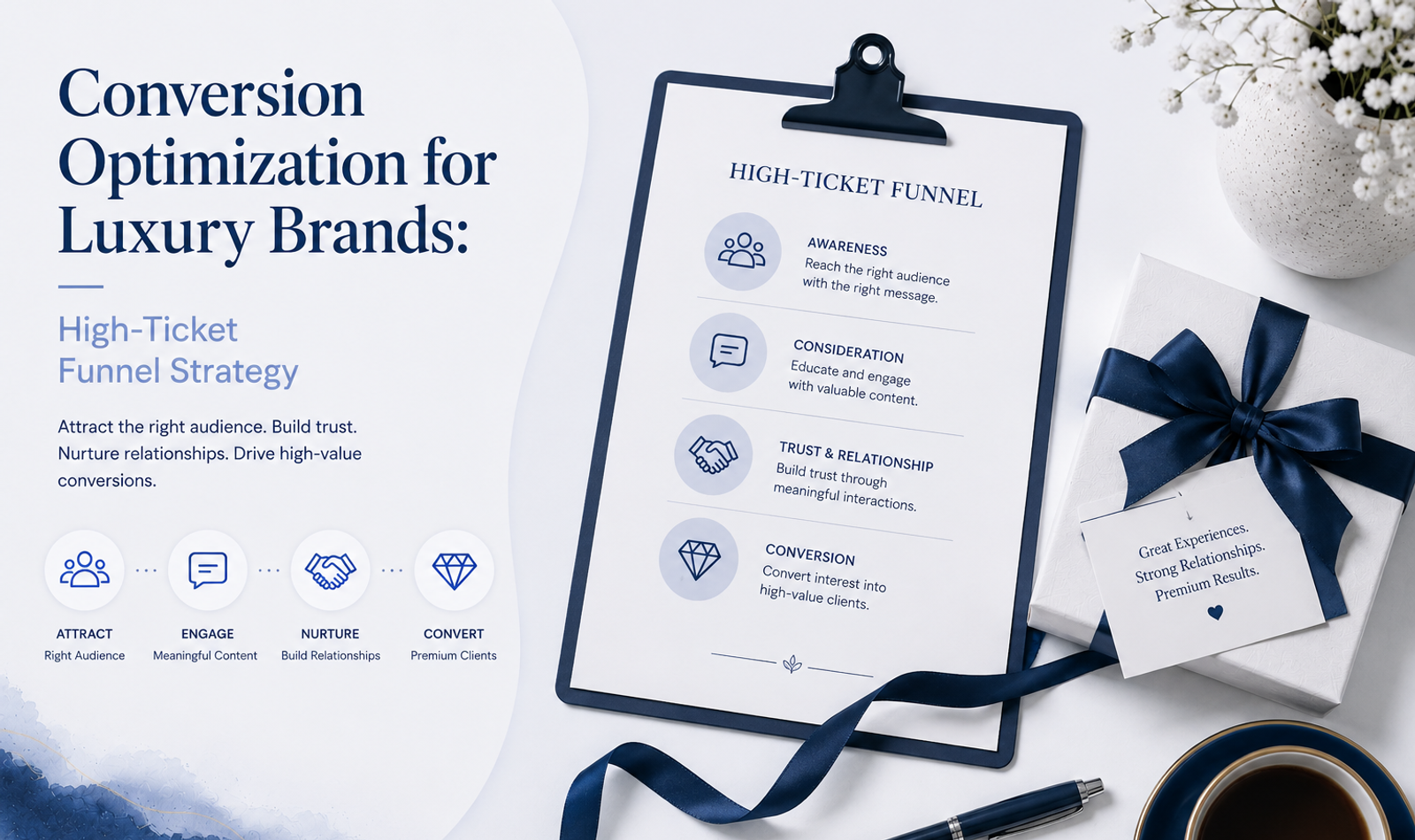
For high-ticket brands, the balance between form length and lead quality is especially important. The broader principles discussed in conversion optimization for luxury brands can help businesses decide what information should be collected at different stages of the funnel.
HTTPS Should Be Standard
A professional business website should use HTTPS.
HTTPS encrypts data transmitted between a visitor's browser and the website server through TLS.
Without proper HTTPS, information transmitted through a website can be exposed to greater risk.
Modern browsers also make connection security visible to users and can display warnings when a website is not properly secured.
For premium brands, a security warning immediately damages confidence.
SSL/TLS certificates should therefore be installed, configured correctly and renewed before expiry.
The website should also consistently redirect HTTP versions to HTTPS so visitors do not accidentally access an unsecured version.
HTTPS alone does not make a website completely secure.
But it is a fundamental requirement.
Choose Secure Hosting Infrastructure
Website security depends partly on where and how the application is hosted.
Cheap hosting should not be selected simply because it reduces short-term costs.
Premium businesses should evaluate hosting based on reliability, security controls, update practices, backup options, monitoring, scalability and support.
Depending on the architecture, secure hosting may include:
Network-level protection.
Automated backups.
Access controls.
DDoS mitigation.
Monitoring.
Firewall capabilities.
Server patching.
Secure deployment workflows.
Geographic redundancy.
The exact infrastructure will vary depending on whether the website uses a managed platform, headless CMS, ecommerce platform, cloud provider or custom application.
The objective is not to purchase the most complicated infrastructure possible.
It is to use infrastructure appropriate to the website's actual risk and business importance.
Keep Frameworks, CMS Platforms and Dependencies Updated
Modern websites depend on many software components.
A website may use a CMS, JavaScript framework, plugins, packages, APIs, analytics tools and third-party integrations.
Each dependency can potentially introduce vulnerabilities.
Updates frequently contain security fixes.
Ignoring them can leave known vulnerabilities exposed.
Businesses should establish a process for reviewing and applying updates.
For WordPress websites, this includes the core platform, plugins and themes.
For modern JavaScript applications, development teams should monitor dependencies and framework releases.
For ecommerce systems, extensions and integrations should also be reviewed.
Updates should be tested before deployment when changes could affect important functionality.
Security maintenance is continuous.
A website that was secure when launched is not automatically secure forever.
This is why website security and maintenance for ecommerce and booking sites should be treated as an ongoing operational responsibility.
Remove Unused Plugins and Integrations
Unused software creates unnecessary attack surface.
A plugin installed three years ago but no longer used can still introduce risk.
The same applies to old API integrations, abandoned tracking scripts and unused accounts.
Review the website periodically.
Remove tools that are no longer required.
Disable inactive user accounts.
Delete obsolete integrations.
Review old API credentials.
Remove development or staging resources that should not be publicly accessible.
A simpler technical environment is generally easier to maintain and secure.
Use Strong Authentication for Administrative Access
Customer-facing security receives a lot of attention, but administrative access is equally important.
If someone gains access to a CMS or hosting account, they may be able to change content, access information, install malicious code or redirect users.
Administrative accounts should therefore use strong authentication.
Use unique passwords.
Avoid sharing one login among multiple employees.
Enable multi-factor authentication where supported.
Restrict administrative permissions according to role.
Remove access when team members or external partners no longer require it.
Do not give every user administrator-level permissions simply because it is convenient.
The principle of least privilege should apply.
Users should receive only the access necessary to perform their work.
Protect Forms From Abuse
Forms are essential to business websites.
They are also common targets for spam, bots and malicious input.
Contact forms, booking forms, enquiry forms and registration systems should validate user input.
Validation should happen on the server side, not only in the browser.
Depending on the application, protection may include:
Input sanitisation.
Rate limiting.
Bot protection.
Spam filtering.
CAPTCHA or alternative challenge systems where appropriate.
Secure API endpoints.
Length restrictions.
File-upload controls.
Form protection should not make the experience unnecessarily difficult for legitimate customers.
The objective is to reduce abuse while preserving usability.
Secure File Uploads
Some premium service websites allow customers to upload files.
An interior design customer may upload floor plans.
An event client may upload a guest list.
A corporate customer may share a brief.
A recruitment portal may accept documents.
File uploads require careful controls.
Limit accepted file types.
Restrict file sizes.
Rename uploaded files where appropriate.
Store files securely.
Avoid making sensitive uploads publicly accessible through predictable URLs.
Scan uploads when the risk profile requires it.
Do not assume a file is safe simply because its extension looks familiar.
Protect APIs and Backend Endpoints
Modern websites frequently rely on APIs.
Forms may send information to a backend endpoint.
A website may connect to a CRM.
An ecommerce system may communicate with inventory tools.
A booking engine may connect to third-party platforms.
API security should therefore be part of the architecture.
Important measures may include authentication, authorisation, input validation, rate limiting, secure secret management and appropriate error handling.
Never expose sensitive credentials in frontend code.
API keys and private credentials should be stored securely using server-side environment variables or appropriate secret-management systems.
Production error messages should also avoid revealing unnecessary technical details.
Secure Ecommerce Payments Properly
Payment security is particularly important for ecommerce businesses.
Brands should generally avoid directly handling sensitive card information unless their systems and compliance processes are specifically designed for it.
Established payment gateways can manage much of the sensitive payment process.
The integration itself still needs to be implemented securely.
Check that customers are redirected or embedded into legitimate payment experiences.
Verify webhook requests where applicable.
Do not expose payment secrets in frontend code.
Test payment flows carefully.
Monitor failed or suspicious transactions.
Keep ecommerce software and payment integrations updated.
For premium brands, payment trust also affects conversion.
Customers who feel uncertain about checkout may abandon the purchase even if they strongly want the product.
Booking Websites Need Additional Security Attention
Hotels, event venues, travel businesses, restaurants, car rental companies and appointment-based services frequently depend on booking systems.
These platforms can collect personal details, dates, locations, preferences and payment information.
The booking journey should therefore be treated as an important security boundary.
Review how information moves between the website, booking provider, payment gateway, email system and CRM.
Use reputable integrations.
Restrict administrative access.
Monitor booking-related APIs.
Keep software updated.
Ensure confirmation emails do not unnecessarily expose sensitive information.
For a more specialised overview, see our guide to ecommerce and booking website security and maintenance.
Backups Are Essential
Security is not only about preventing attacks.
It is also about recovery.
Websites can fail because of:
Cyber incidents.
Software bugs.
Human error.
Broken updates.
Hosting failures.
Database corruption.
Incorrect deployments.
A reliable backup system allows the business to recover more quickly.
Backups should be created regularly based on how frequently the website changes.
A frequently updated ecommerce platform may need a different backup strategy from a relatively static corporate website.
Where appropriate, maintain multiple backup versions rather than only the latest copy.
Backups should also be stored separately from the main production environment.
Most importantly, test restoration.
A backup that cannot be restored is not useful.
Monitoring Helps Detect Problems Earlier
Security incidents are more difficult to manage when nobody notices them.
Monitoring can help identify unusual activity.
Depending on the website, teams may monitor:
Server errors.
Unexpected traffic spikes.
Repeated login failures.
Application exceptions.
Suspicious requests.
Changes to critical files.
Website downtime.
API failures.
Payment issues.
Unusual account activity.
The objective is not to watch every request manually.
It is to create alerts for conditions that deserve attention.
Early detection can significantly reduce the impact of technical and security incidents.
Use Security Headers Where Appropriate
HTTP security headers can help browsers handle website content more safely.
Examples include Content Security Policy, Strict-Transport-Security, X-Content-Type-Options and other browser security controls.
The exact configuration should depend on the application's architecture.
Headers should be implemented carefully because incorrect policies can interfere with scripts, fonts, embedded content or third-party integrations.
They are not a substitute for secure development.
They are another defensive layer.
Secure Cookies and Sessions
Websites that use authentication, customer accounts, shopping carts or personalised sessions need to manage cookies and sessions carefully.
Sensitive cookies should use appropriate security attributes.
Session identifiers should not be exposed unnecessarily.
Users should be logged out appropriately when sessions expire.
Authentication tokens should be protected.
The implementation depends on the framework and application architecture.
The broader principle is simple:
Anything that proves a user's identity or preserves authenticated access should be treated as sensitive.
Privacy Should Be Built Into the Website
Security and privacy overlap, but they are not identical.
Security focuses on protecting information.
Privacy also considers why information is collected, how it is used, who receives it and how long it is retained.
Premium brands should understand the data lifecycle.
Ask:
Why are we collecting this information?
Where is it stored?
Who has access?
Which third parties receive it?
How long do we need it?
How can customers exercise applicable privacy rights?
Privacy notices should accurately reflect actual business practices.
Do not copy a generic privacy policy from another website without understanding whether it applies to your business.
Where regulatory obligations apply, businesses should obtain appropriate legal and compliance advice.
Be Careful With Third-Party Scripts
Websites often include third-party tools for analytics, advertising, live chat, CRM, social embeds, video, maps, scheduling and personalisation.
Every additional script can affect performance, privacy and security.
Before adding a tool, ask:
Is it necessary?
Who operates it?
What information does it receive?
How frequently is it maintained?
Does it slow the website?
Does it require user consent?
Can access be restricted?
Third-party convenience should not override responsible data handling.
Periodically audit scripts because websites often accumulate tools over time.
Website Security and Technical SEO Are Connected
Security and SEO are different disciplines, but technical website quality affects both.
Incorrect redirects, broken HTTPS configurations, hacked pages, injected spam content and unstable infrastructure can damage search visibility and customer confidence.
Technical teams should therefore consider security alongside crawlability, indexing, mobile usability and performance.
A broader technical SEO website optimization guide can help brands understand how infrastructure, site architecture and technical quality work together.
A technically strong website should be accessible to legitimate users and search engines while remaining protected against abuse.
Do Not Sacrifice Performance for Security
Security tools can sometimes add processing or scripts.
At the same time, performance optimisations can sometimes create security mistakes if implemented carelessly.
The goal is balance.
A secure website should still be fast.
A fast website should still be secure.
For example, caching should be configured carefully so private information is not accidentally served to another user.
Third-party security scripts should be evaluated for performance impact.
Large security-related client-side libraries should not be added without reason.
Performance and security should be considered together during development.
Our guide to Technical SEO foundations, speed, mobile and Core Web Vitals explores the performance side of this relationship in more detail.
Security Must Extend to Mobile Experiences
A responsive layout does not automatically mean the mobile experience is secure and trustworthy.
Mobile visitors frequently interact differently.
They may tap phone numbers.
Open WhatsApp.
Use autofill.
Upload images.
Complete payments.
Book services.
Submit shorter forms.
All these interactions should be tested.
Check whether secure redirects work correctly on mobile browsers.
Ensure forms submit to HTTPS endpoints.
Test payment flows across devices.
Verify that sensitive information is not exposed through URLs.
Make sure errors do not reveal technical information.
Premium brands should test the complete mobile journey, not just the visual layout.
Visible Trust Signals Matter
Many of the strongest security controls are invisible.
Customers cannot see server-side validation or database permissions.
This means websites also need appropriate visible trust signals.
Trust signals can include:
Clear company identity.
Professional contact information.
HTTPS.
Transparent privacy information.
Secure payment experiences.
Recognisable payment providers.
Authentic testimonials.
Case studies.
Media coverage.
Industry credentials.
Clear cancellation or refund policies where relevant.
Accessible customer support.
Professional design.
Consistent branding.
These elements reduce uncertainty.
They should be genuine.
Do not add meaningless “100% Secure” graphics simply because they look reassuring.
Trust should be based on real practices.
Social Proof Is a Trust Signal Too
Security is one part of trust.
Customers also want to know whether the business itself is credible.
This is especially important for high-value transactions.
Authentic testimonials, detailed case studies, recognised clients, credible partnerships and relevant media coverage can strengthen confidence.
For luxury brands, the presentation of social proof matters.
Instead of covering every page with logos, integrate evidence strategically.
A case study close to a service description may be more persuasive than a large logo wall.
A detailed testimonial may be more useful than ten generic five-star quotes.
Trust signals should help answer the customer's actual concerns.
Website Design Influences Perceived Security
Customers make fast judgements.
A website can technically be secure but still look suspicious.
Broken layouts, inconsistent typography, low-resolution images, outdated interfaces, incorrect grammar and strange pop-ups can reduce trust.
Premium design therefore supports perceived credibility.
This does not mean every luxury website needs complex animation.
In many cases, clarity and restraint create more confidence.
Professional high-end luxury website design should combine visual identity with usability, performance and dependable functionality.
A secure website should also look like a place where customers can confidently share information.
Trust Signals Can Improve Conversion
Website security is sometimes viewed only as a risk-management expense.
But trust can also influence commercial performance.
A visitor who does not trust a website may avoid:
Submitting a form.
Entering payment information.
Creating an account.
Booking an appointment.
Sharing a phone number.
Downloading material.
Requesting a proposal.
Security and trust therefore have a place inside the conversion funnel.
When businesses work on building conversion-focused marketing funnels, trust should be considered at every stage where customers are asked to provide information or make a commitment.
Removing uncertainty can reduce conversion friction.
Premium Clients Expect Discretion
Luxury customers may value discretion as much as convenience.
This is particularly relevant for businesses working with high-profile individuals, executives, private families, celebrities or premium events.
Customers may share travel information, event dates, private addresses, guest details or confidential project requirements.
Internal access to this information should be limited.
Not every employee needs access to every customer record.
Sensitive documents should not be shared casually through public links.
Old files should not remain accessible indefinitely without a business reason.
For event businesses specifically, guest data privacy at luxury events provides additional context around responsible handling of guest information.
Digital discretion should match offline service standards.
Create an Incident Response Plan Before You Need One
No responsible organisation should claim that a website can never experience a security incident.
The better approach is preparation.
Businesses should know what happens if:
The website is compromised.
Customer information may have been exposed.
An administrator account is taken over.
A malicious redirect appears.
The website goes offline.
A payment integration behaves unexpectedly.
Important files are deleted.
The response plan should identify who investigates, who has authority to disable systems, where backups are stored, who communicates with vendors and how legal or regulatory requirements will be handled.
Preparation reduces confusion during an incident.
For premium brands, communication also matters.
Customers expect professionalism when something goes wrong.
Secure the Development and Deployment Process
Website security starts before the website reaches production.
Development teams should maintain separation between development, staging and production environments where appropriate.
Production credentials should not be copied casually into local files.
Sensitive environment variables should not be committed to public repositories.
Code changes should be reviewed.
Deployments should be controlled.
Old staging websites should not remain publicly accessible indefinitely.
Test accounts and debugging tools should be removed or restricted before launch.
A secure production website built through an insecure development process still carries unnecessary risk.
Security Should Be Part of Website Maintenance
Launching the website is the beginning of the operational lifecycle, not the end.
Ongoing maintenance should include:
Software updates.
Dependency reviews.
Backup checks.
Security monitoring.
Form testing.
Broken-link reviews.
User access audits.
Performance checks.
Integration reviews.
SSL/TLS monitoring.
Database maintenance where appropriate.
Analytics review.
Spam monitoring.
Businesses should decide who owns these responsibilities.
Without ownership, maintenance often happens only after something breaks.
Create a Website Security Checklist
Premium brands can use a practical checklist when reviewing their websites.
Connection Security
Is HTTPS correctly configured?
Do HTTP pages redirect properly?
Is the certificate valid?
Access Security
Are administrator passwords unique?
Is MFA enabled where possible?
Are old accounts removed?
Are permissions appropriate?
Software Security
Is the CMS updated?
Are frameworks current?
Are dependencies reviewed?
Are unused plugins removed?
Data Protection
Do forms collect only necessary information?
Is sensitive information stored securely?
Are third-party data flows understood?
Forms & APIs
Is server-side validation implemented?
Are endpoints protected against abuse?
Are secrets kept server-side?
Payments & Bookings
Are reputable providers used?
Are integrations current?
Are transaction flows tested?
Recovery
Are backups automatic?
Are multiple versions available?
Has restoration been tested?
Monitoring
Are important errors tracked?
Are suspicious activities detectable?
Is downtime monitored?
Trust
Is company information clear?
Are privacy practices accessible?
Do forms and checkout feel legitimate?
Are testimonials and credentials authentic?
This checklist will not replace a professional security assessment, but it can reveal obvious weaknesses.
Common Website Security Mistakes Premium Brands Should Avoid
One common mistake is assuming HTTPS means the entire website is secure.
It does not.
HTTPS protects data in transit, but vulnerabilities can exist elsewhere.
Another mistake is using weak or shared administrator passwords.
Some businesses also install too many plugins and never remove old ones.
Others collect unnecessary customer information.
Another major mistake is failing to maintain backups.
Some brands invest heavily in design but allocate almost nothing to ongoing technical maintenance.
Third-party scripts are often added without reviewing their data or security implications.
Staging environments may be left publicly accessible.
Old accounts remain active.
Forms may send sensitive information insecurely.
Finally, businesses sometimes rely on visual trust badges instead of improving actual security.
Security should be real first and communicated second.
How Secure Website Development Supports Premium Brand Positioning
Premium positioning is built through consistency.
If the brand promises attention to detail, the website should demonstrate attention to detail.
If the company promises discretion, customer data should be handled discreetly.
If the brand promises reliability, the website should remain stable and maintained.
If it promises a premium experience, the digital journey should feel secure from first visit to final transaction.
This is where technology becomes part of brand strategy.
Security is not visible in the same way as typography or photography.
But customers experience its effects through reliability, privacy, smooth transactions and confidence.
The strongest premium websites combine:
Brand identity.
UX.
Performance.
Security.
Search visibility.
Conversion.
Content.
Trust.
Each supports the others.
Frequently Asked Questions
What makes a website secure?
A secure website uses multiple layers of protection, including HTTPS, secure hosting, updated software, strong authentication, controlled permissions, secure forms, protected APIs, backups, monitoring and responsible data handling.
Why is website security important for premium brands?
Premium brands often handle valuable transactions and personal customer information. Security helps protect this data while supporting the level of trust, discretion and reliability customers expect from a premium business.
Is HTTPS enough to secure a website?
No. HTTPS protects data transmitted between the browser and server, but websites still require secure coding, authentication, updates, access control, backups, monitoring and other security measures.
What are website trust signals?
Website trust signals are elements that help visitors judge whether a business and its website are credible. Examples include HTTPS, clear company information, privacy policies, secure payment providers, authentic testimonials, case studies, media coverage and professional website design.
How can websites protect customer data?
Websites can protect customer data by collecting only necessary information, encrypting transmission, restricting access, using secure storage, protecting forms and APIs, keeping software updated and reviewing third-party integrations.
How do you secure an ecommerce website?
Use HTTPS, reputable payment providers, updated ecommerce software, secure administrative accounts, strong authentication, protected APIs, backups, fraud controls and continuous monitoring.
How can booking websites improve security?
Booking websites should secure data transmission, carefully manage integrations, restrict administrative access, keep software updated, protect APIs and forms, use reputable payment systems and minimise unnecessary customer data.
How often should a website be updated for security?
There is no single schedule for every website. Critical security updates should generally be reviewed promptly, while routine maintenance should happen regularly based on the technology, business importance and risk level.
Does website security affect SEO?
Security is not the same as SEO, but compromised websites, broken HTTPS configurations, malicious redirects and unstable infrastructure can harm user trust and search performance. Strong technical maintenance supports a healthier website overall.
Can website security improve conversion rates?
Security alone does not guarantee higher conversions, but poor trust can prevent customers from submitting forms, making payments or booking services. Clear security and credibility signals can reduce hesitation during high-value decisions.
What information should a premium website collect?
Only information genuinely required for the relevant customer interaction should be collected. Additional details can be requested later when necessary rather than collecting excessive personal information at the beginning.
Should luxury brands display security badges?
Only when the badge represents a real and relevant security or payment relationship. Generic or misleading “100% Secure” graphics can reduce credibility rather than improve it.
Conclusion
Building secure websites for premium clients requires more than installing an SSL certificate or adding a privacy-policy link.
Security needs to exist throughout the digital experience.
It begins with understanding what information the website collects.
It continues through secure hosting, development practices, authentication, forms, APIs, payments, integrations, backups, monitoring and ongoing maintenance.
It also extends into customer perception.
Visitors want to know that the company they are considering is credible, professional and responsible.
This is particularly important when customers are making high-value purchases or sharing private information.
For luxury and premium brands, security should therefore be treated as part of brand experience.
A sophisticated website should not only look premium.
It should behave like a premium service.
Reliable.
Controlled.
Clear.
Private.
Professional.
Trustworthy.
Double Trouble Studio develops digital experiences that connect website strategy, design, performance, content, security and conversion with broader brand objectives.
Brands can explore our selected work to understand how digital thinking fits into wider creative and brand experiences.
For businesses planning a new website, redesign, technical improvement or digital growth strategy, connect with Double Trouble Studio to discuss the project.
📩 info@dtsworld.in 📞 +91 80000 06021 📍 Andheri (West), Mumbai.
Need this for your brand?
Let DTS build your next campaign.
From PR, celebrity management and events to websites, social media, SEO and AI video production — Double Trouble Studio helps brands grow with strategy and execution.
Discuss Your Requirement →